
PRODUCT
Run the whole room with fewer staff.
Floor, tournaments, promotions, players and reporting, in one system set up the way your room calls for. Your data stays yours.
Take the two-minute tourRUN THE ROOM
Run the room with fewer staff.
Everything the night runs on, in one place, with the checks that keep it straight. You set the games, limits, promotions and memberships. The window, the cage and payouts are there when you need them.
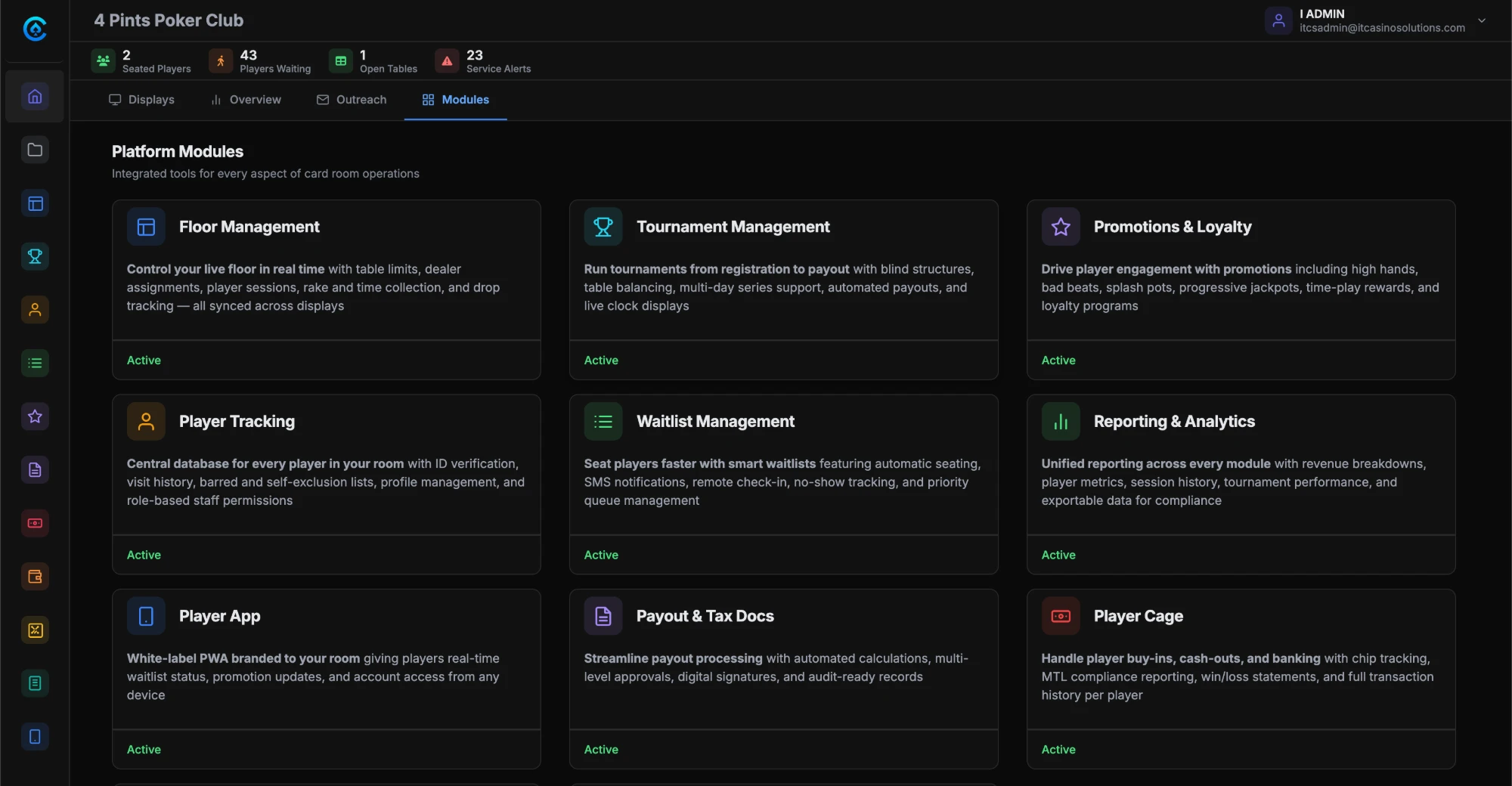
The module menu on a workstation. Everything here comes with every plan. Read more on the dealer tablet.
HOW IT FITS TOGETHER
One system for your floor and your players.
CardOpz Desktop runs on your workstations and connects the hardware. The cloud runs on Microsoft Azure in US data centers, encrypted and backed up. The player app runs in their browser, under your name.
THE FLOOR
The floor, live.
Every table, every seat, the list, the window and the boards, from one screen.
SEATING CASH-GAME PLAYERS
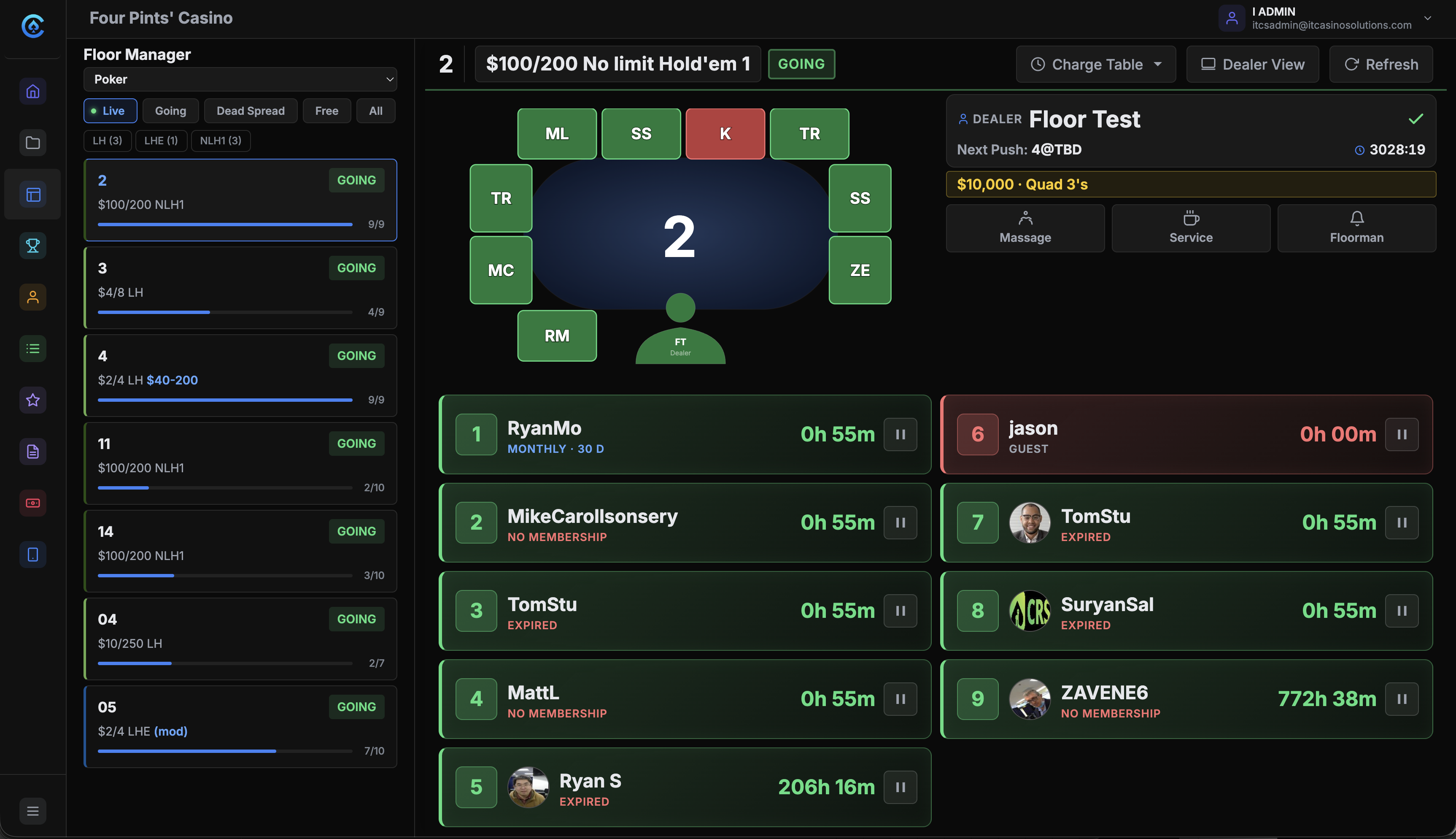
Every table, every seat, one screen.
The floor manager is the live map of the room. Every seat shows who is in it and for how long. Tables read Going, Live or Dead Spread. Dealers check in from the tablet, so the map stays right.
WAITLIST MANAGEMENT
Players join from anywhere. Staff seat from one list.
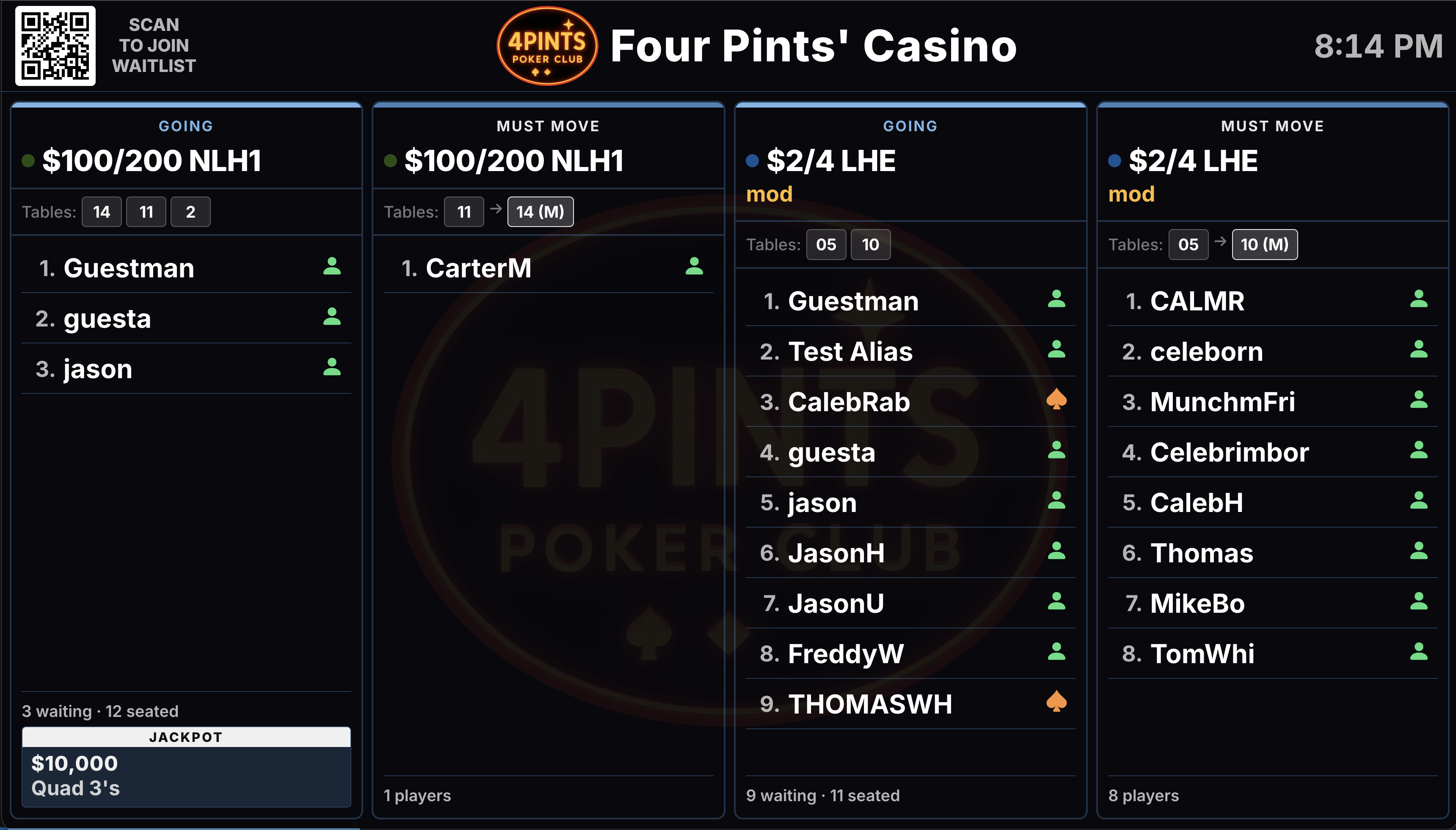
One list per game and limit. Players join at the desk, at the kiosk, or from the QR code on the board. The TV, the manager and the app show the same list. A seat opens, the player gets a text.
AT THE WINDOW
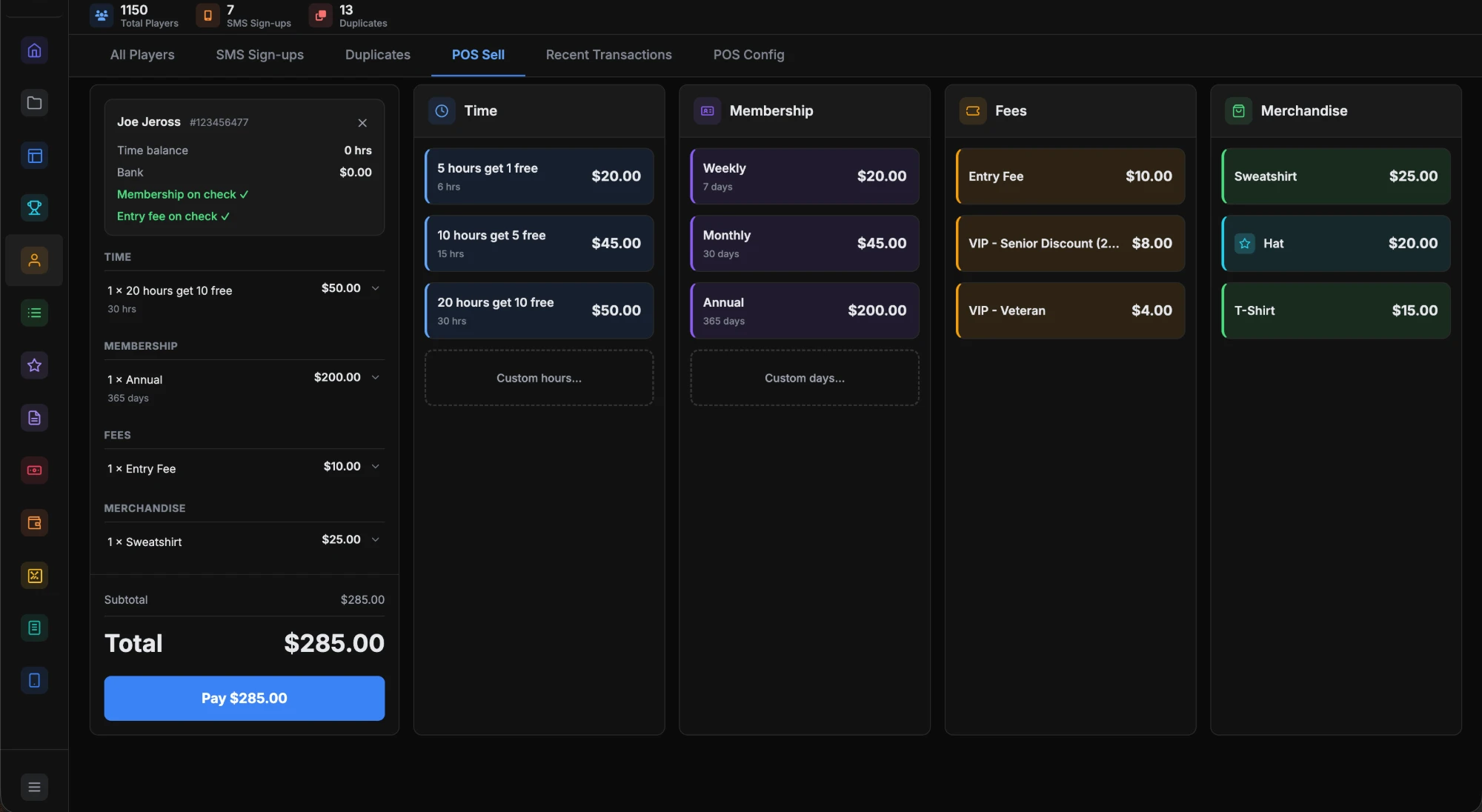
Sell time, memberships and merch from one screen.
Hour packages, memberships, entry fees and merchandise ring up on one ticket, against the player’s account, with their time balance right there. Included in every plan.
More on Membership and Time Sales →
DISPLAYS & BOARDS
The room’s TVs, driven from the same data.
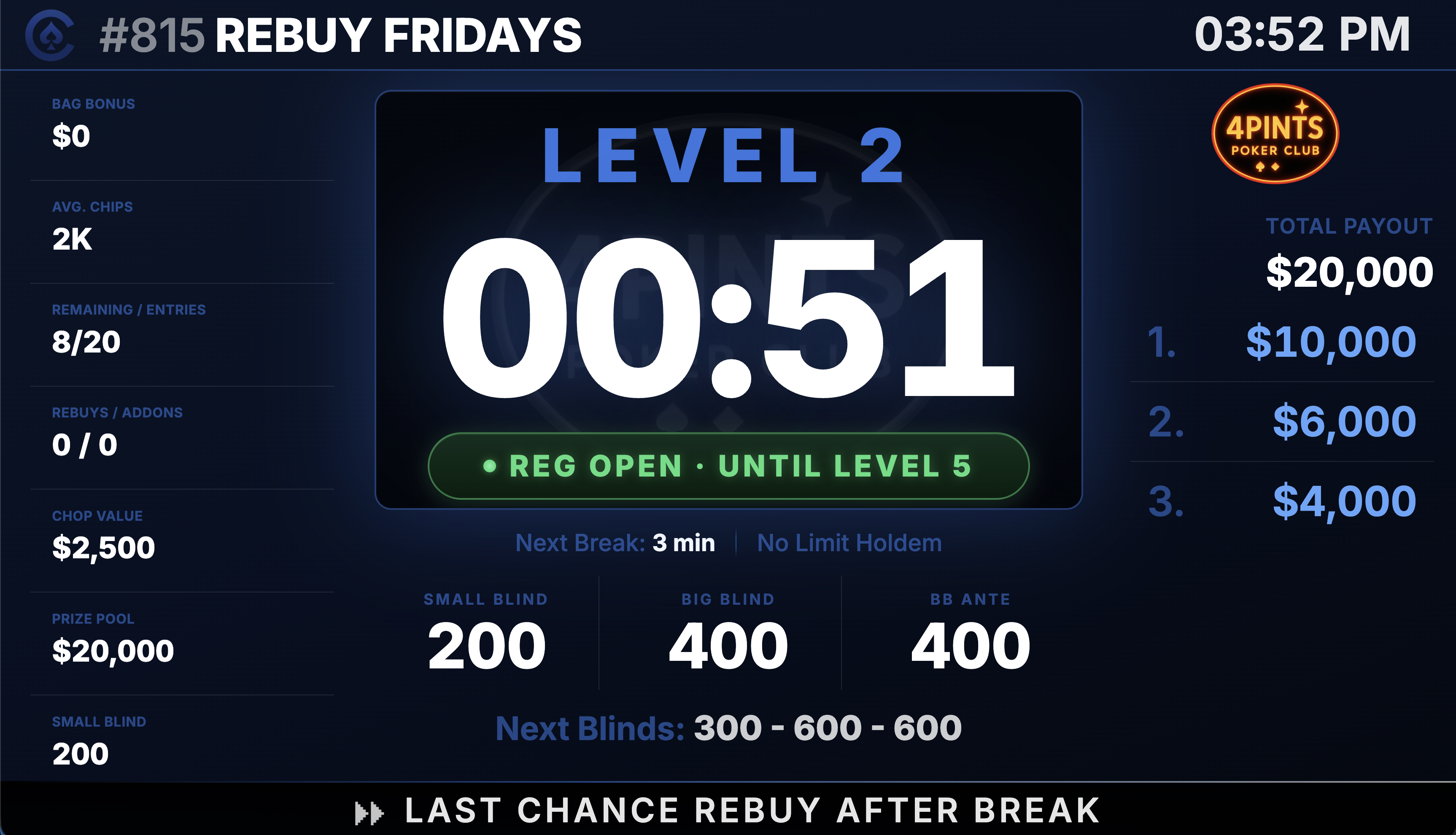
Waitlist board, tournament clock, jackpot board, high-hand display and table rotation, each a browser tab on any TV. The clock shows the level, the break and the payouts, updating as players bust.
AT THE KIOSK
Players help themselves in the lobby.
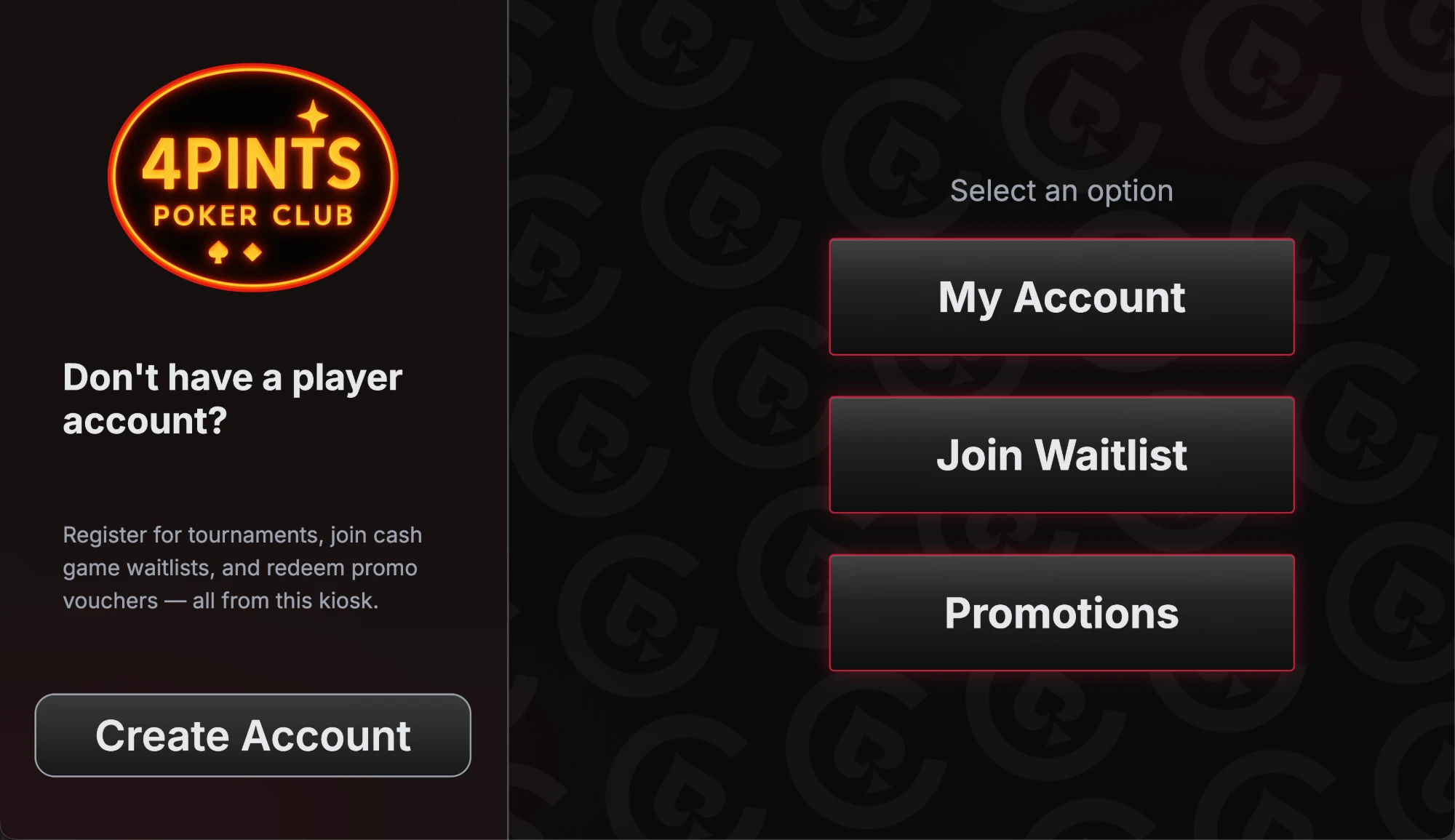
A touchscreen PC in the lobby with a receipt printer. Players create an account, join the waitlist, check their hours and redeem promotions. The voucher prints right there. It reads the player card or the QR code in the app.
TOURNAMENTS AND PROMOTIONS
Events and promotions without the spreadsheet.
Templates once. Registration, the clock and the payouts board do the rest.
REGISTERING TOURNAMENTS
Buy-ins, seats and receipts without a spreadsheet.
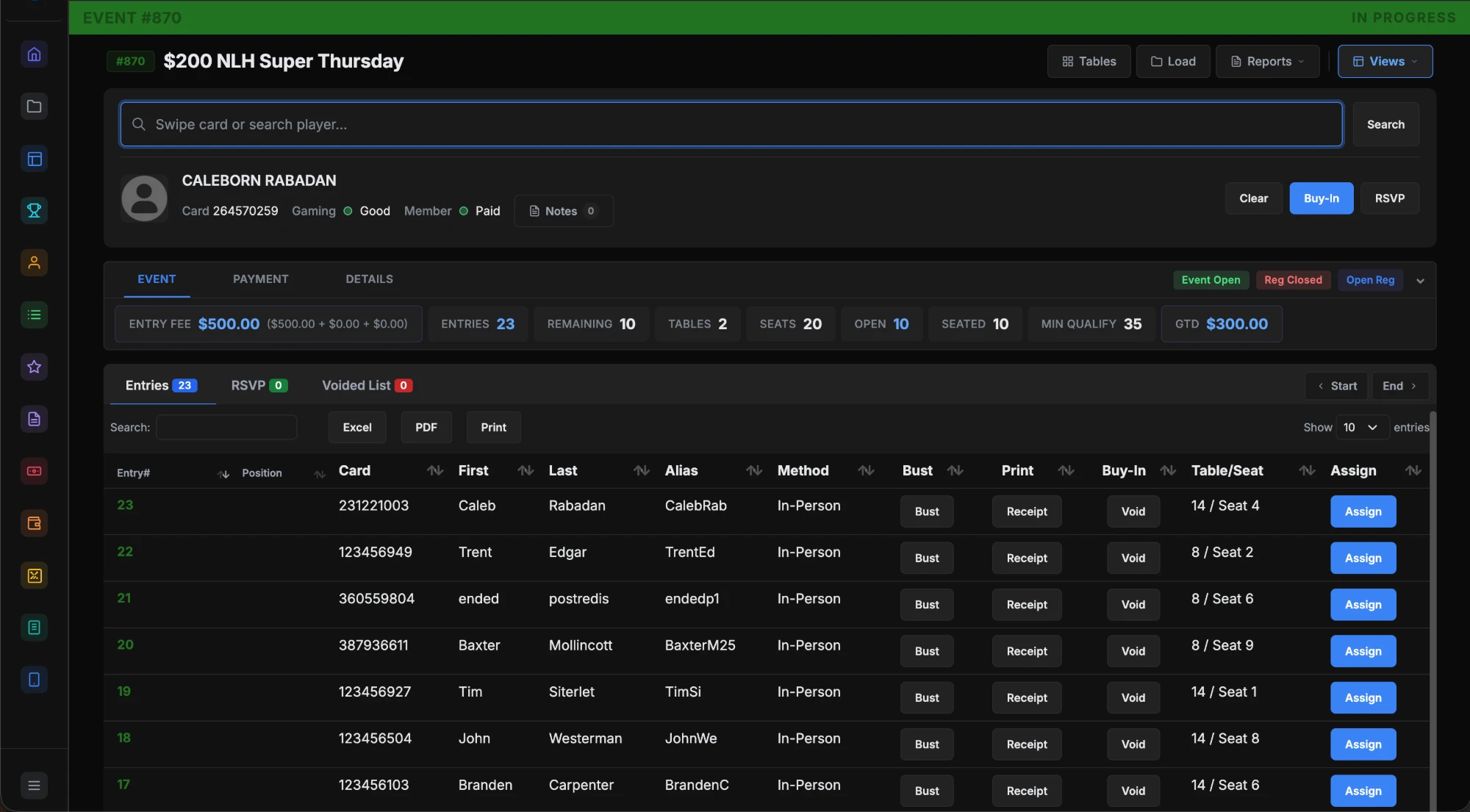
Level and payout structures are templates, built once. On the day, registration is a search, a tap and a printed receipt, with the seat drawn. Multi-day, multi-flight and satellites stay in one place.
More on Tournament Management →
PROMOTIONS
High hands, jackpots and hour-based promos, tracked as they happen.
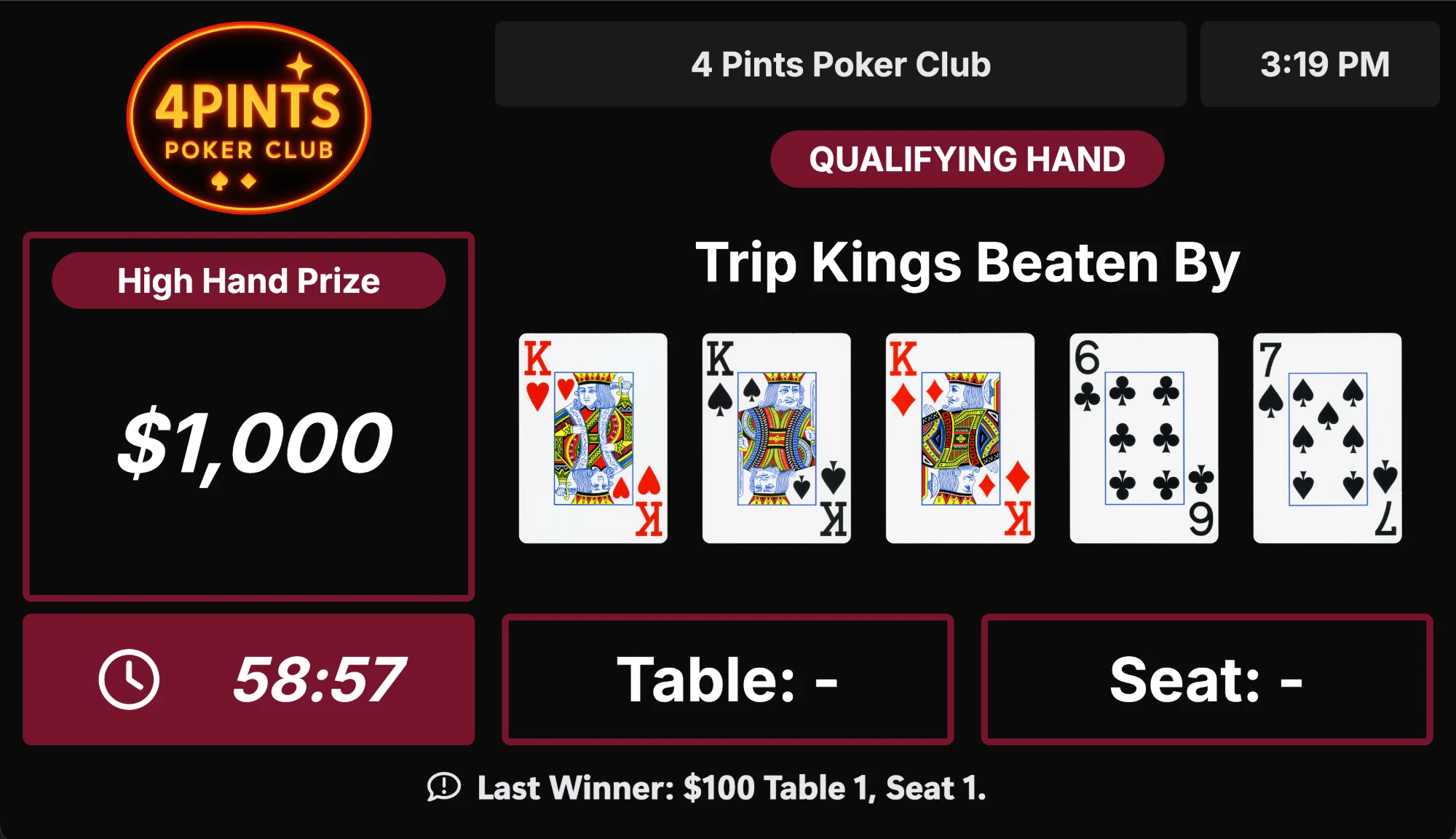
Set a promotion once: a progressive jackpot by game and limit, a high-hand session, or an hours reward. The display shows the hand to beat, the prize and the time left. Players redeem hour promos at the kiosk.
More on Promotions and Jackpots →
REPORTING
The night, the shift and the year.
Every module feeds the same reports.
REPORTING & ANALYTICS
The night, the shift and the year, on one dashboard.
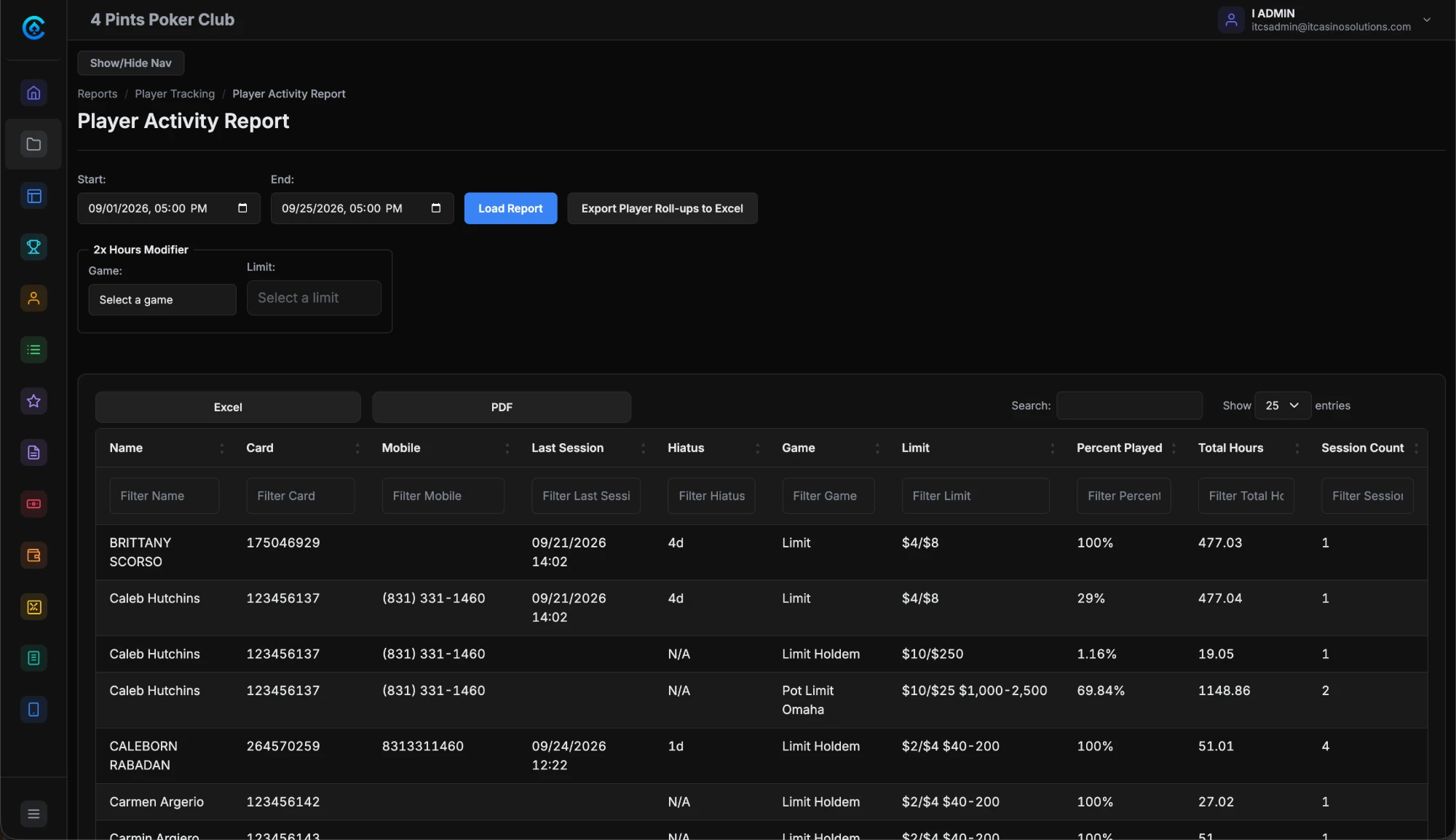
Seated players, players waiting, open tables and service alerts at a glance. Underneath: sign-ups, check-in history, table and dealer timelines, chip counts, payout slips, promo redemptions. Export to Excel, PDF or CSV.
More on Reporting and Analytics →
THE PLAYER APP
All of it, from the player’s side.
Under your club’s name, in their browser, no app store.
THE PLAYER SIDE
What your players see.
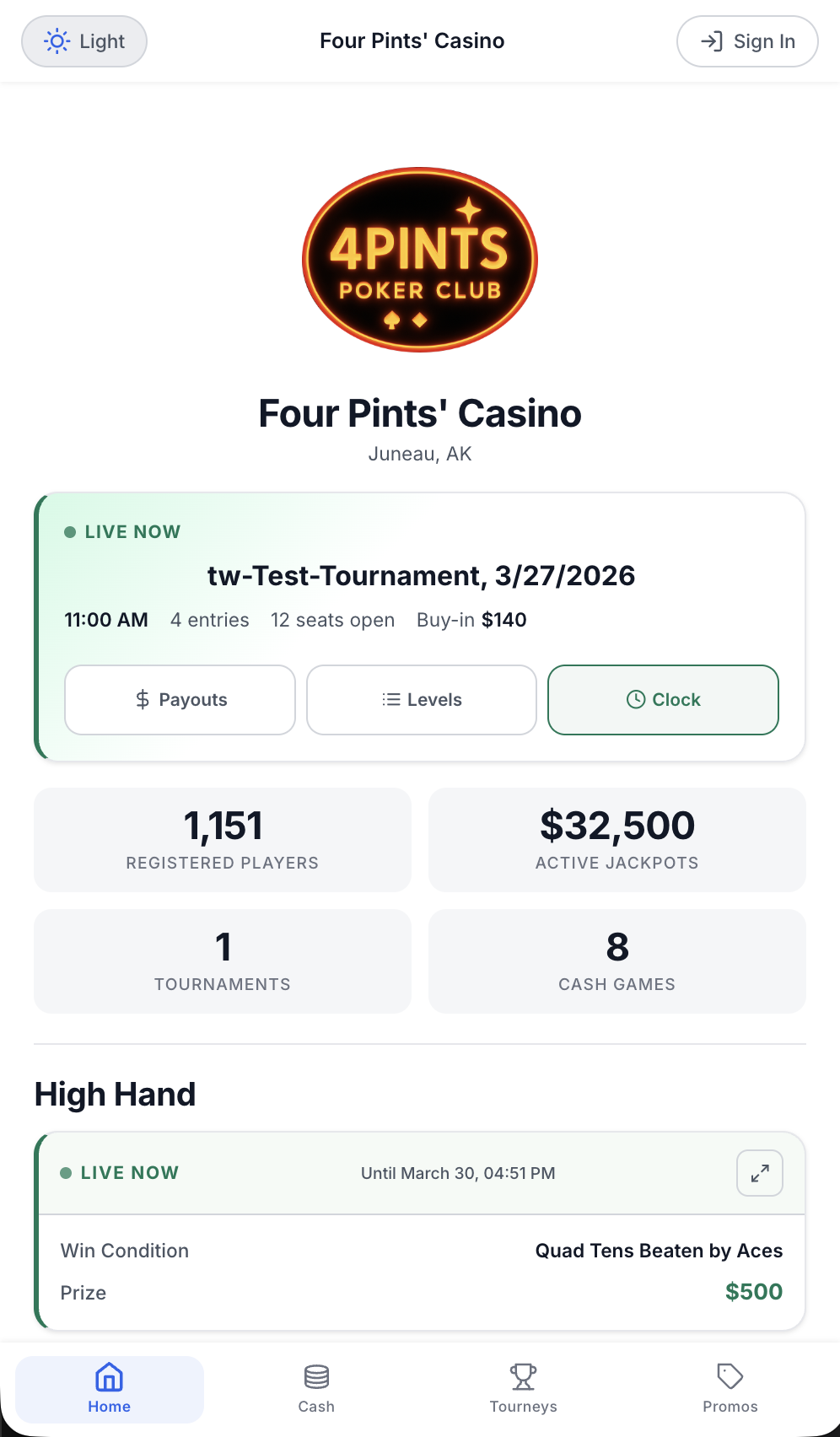
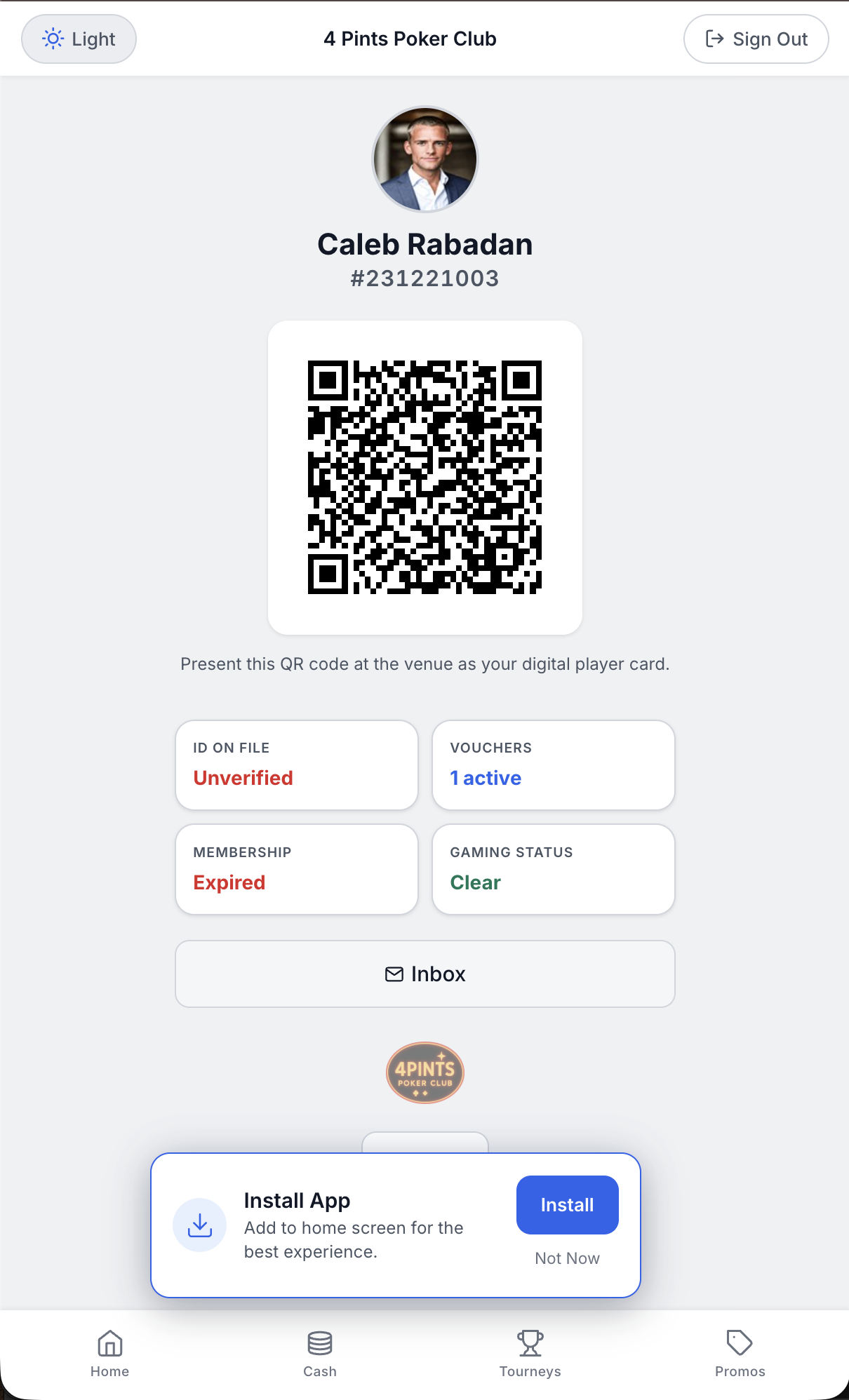
Live games and open seats. Their place on the waitlist, and a page when a seat is up. Tournament RSVP and buy-in with Player Bank. Jackpots, vouchers and your messages in one inbox. Their player card, as a QR code.
MORE MODULES
AccessPoint ID Scanning · Payouts and Tax Documentation · Player Cage · Player Tracking
QUESTIONS
The ones we get on every demo.
How is CardOpz different from a seating app or a clock app?
Seating apps run the list. Clock apps run the tournament. CardOpz runs the club: members and seat time, the list and the clock, the tables and the TVs, the window, and the club’s own app, on one system.
What does the player app look like?
A web app at yourroom.cardopz.com with your logo and colors, no app store. Live games, the waitlist, tournament RSVP and buy-in with Player Bank, promotions, messages, and their player card as a QR code.
Can players see their place on the waitlist?
Yes, in the app and on the board. When a seat opens they get a text.
What hardware do I need?
Any modern browser for the office. CardOpz Desktop on your workstations connects RFID card printers, ID scanners, webcams and receipt printers. Dealer tablets, kiosks and boards are on the hardware page.
Is my data private?
Every room has its own database. Your data is never sold, pooled or published, and you can export it from the reports that offer it. Hosting is Microsoft Azure in US data centers. More on the security page.
What does it cost?
Three plans, ten modules in all three. Professional adds two: payouts with tax forms and ID at the door. Starter for up to 5 tables, Operations for up to 10, Professional for up to 30. Starter is paid in full at signing; on Operations and Professional the implementation fee and the first year are both due at signing. No per-seat fees. Details on the pricing page.
Want to see it running?
Book a demo and we walk through it on a real room setup, with your questions.
Book a demoTHE PDF
Get the guide.
Emailed to you, with a link to open it now.
We email the guide and follow up once. No lists, no telemarketing.