
PRODUCT TOUR
A night on CardOpz, in two minutes.
Doors open to the closing report: the floor, the list, the window, the tournament, the promotions and the cage, on the screens your staff and your players use. No sign-up.
Read the script
Running a full room short-staffed? With CardOpz, the floor view and the dealer tablet run your cash games. Players join the waitlist from their phone. Your tournament director runs registration and the clock, on any TV in the room. Promotions are calculated from cash game and tournament play, and players redeem them at the kiosk. The cage logs cash and chips in and out, plus deposits and withdrawals to each player’s bank. See it running in a room like yours. Book a demo at cardopz.com.
THE TOUR
Twelve stops, doors open to close.
Real CardOpz screens, with the part that matters marked.
From our demo rooms: player names and figures are examples.
-
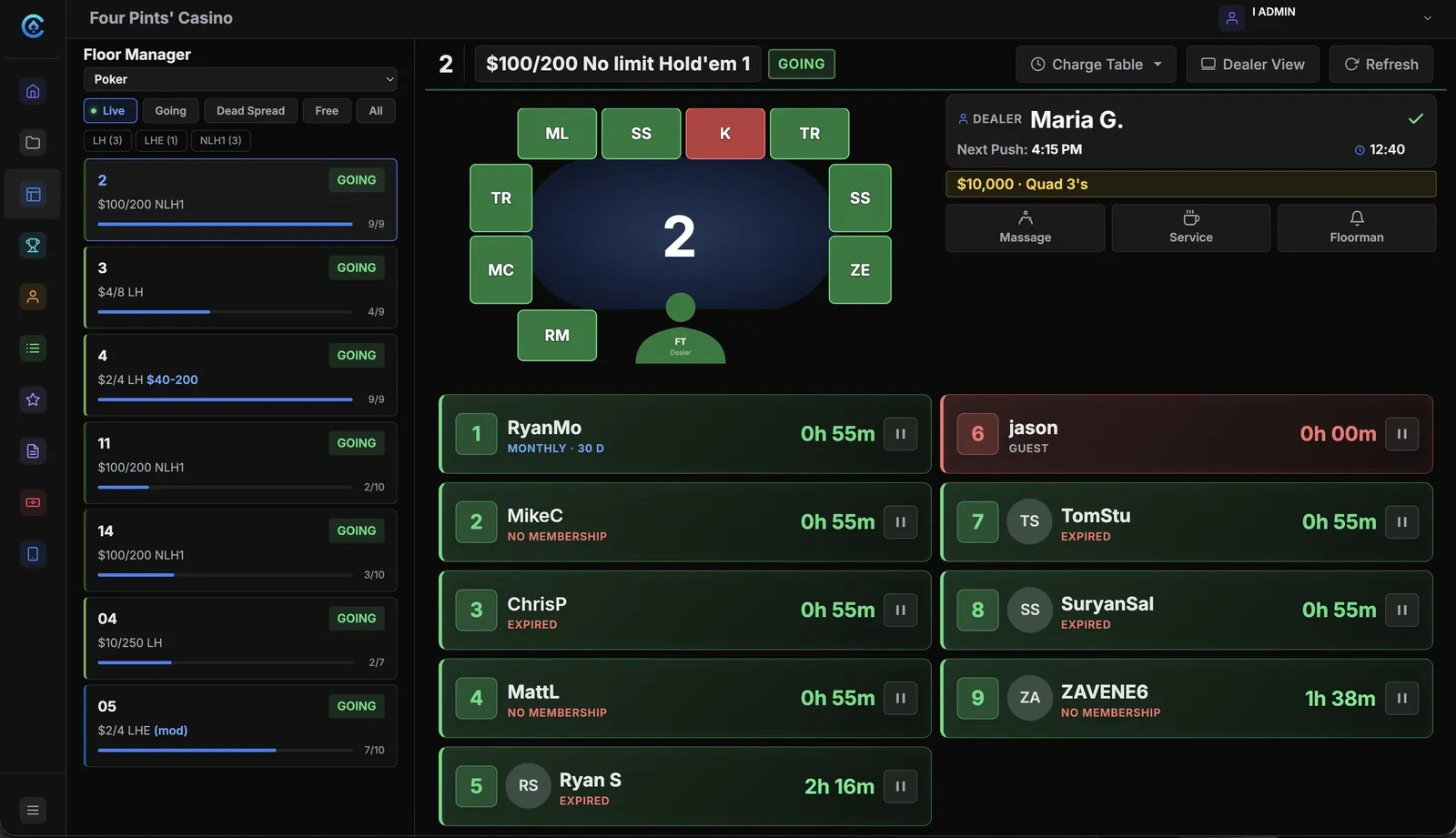
DOORS OPEN · FLOOR MANAGEMENT
Every table, every seat, one screen.
The floor manager is the live map of the room. Every seat shows who is in it, for how long, and where their membership stands.
-
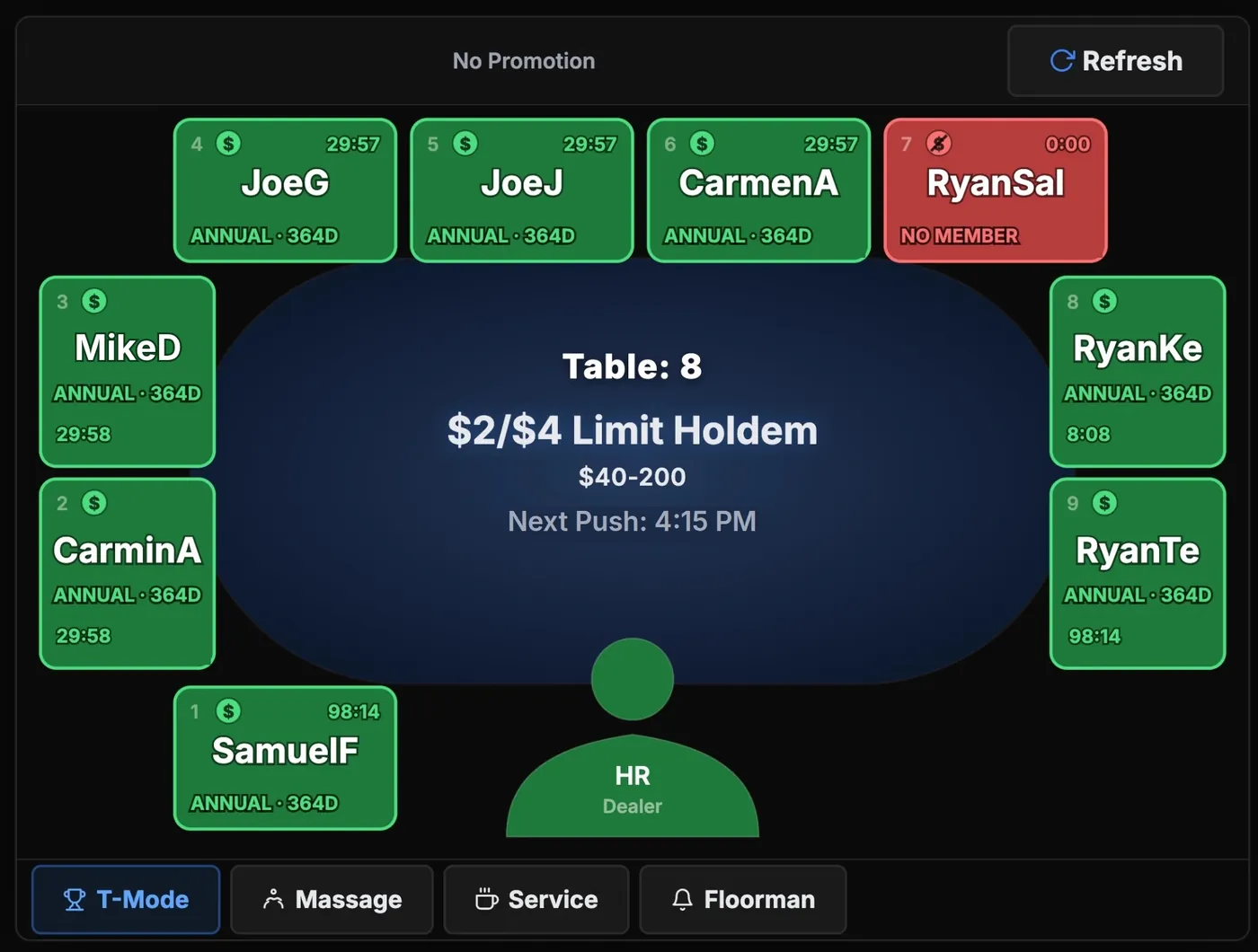
DEALERS SIT DOWN · DEALER TABLET
The table runs from the dealer’s seat.
A tablet at each table. Dealers check players in and out, collect time and call the floor without leaving the seat. Seat colors show who needs more time, and every tap shows on the floor manager’s screen.
-
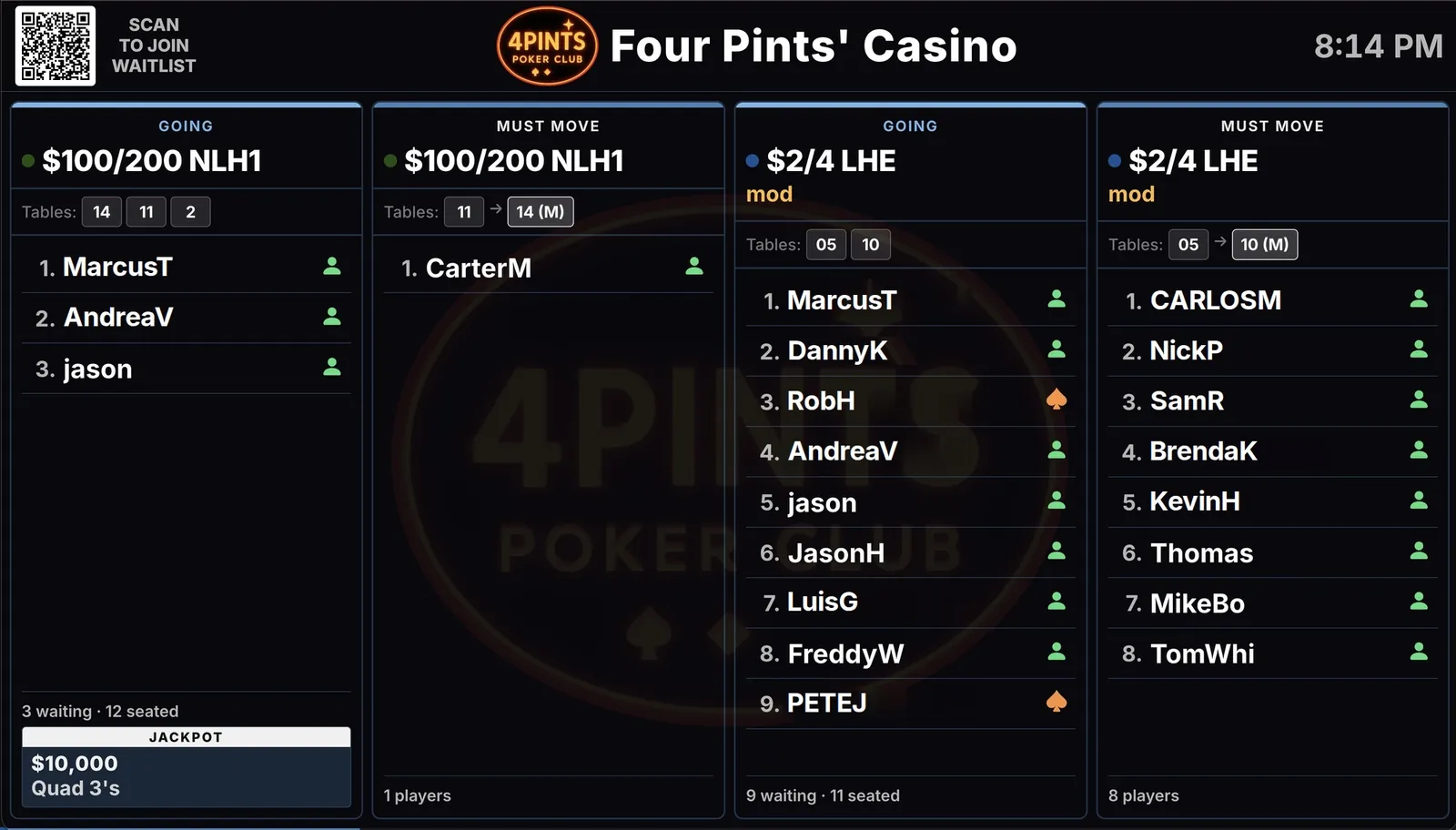
THE LIST FILLS · WAITLIST MANAGEMENT
Players join from anywhere. Staff seat from one list.
One list per game and limit, on the TV in the room. Players join at the desk, at the kiosk, or from the QR code on the board.
-
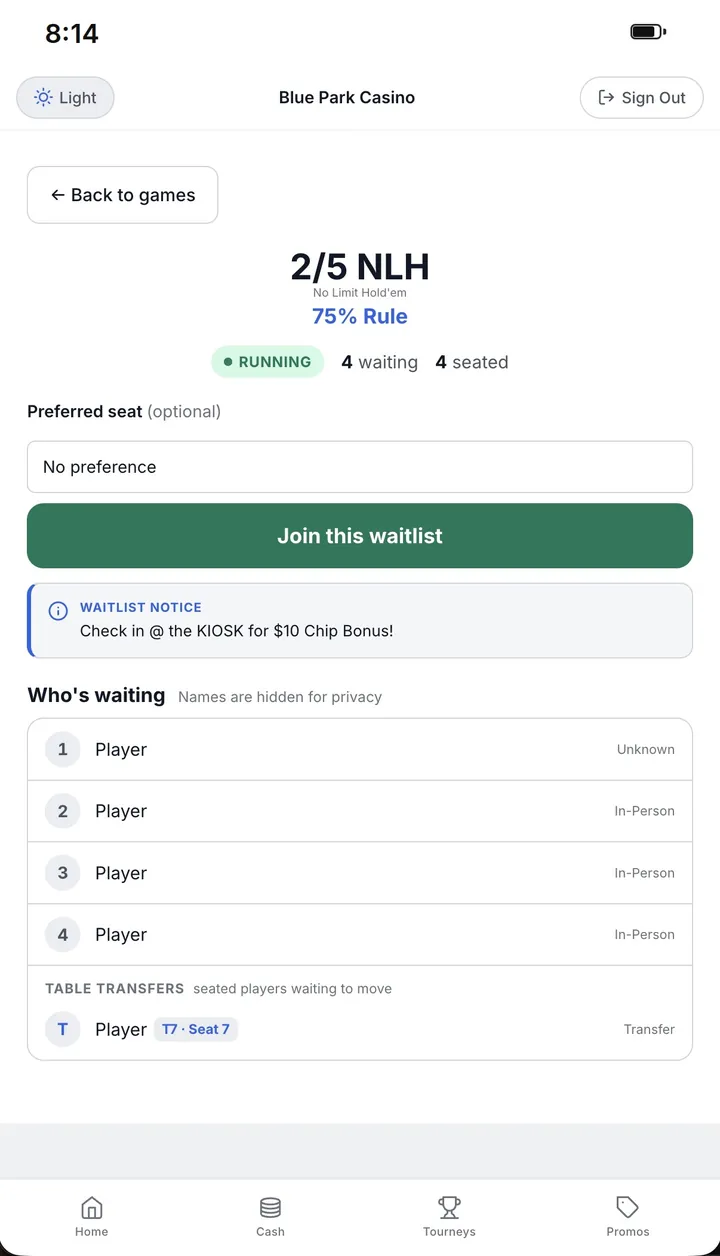
ON THE WAY IN · PLAYER APP
Their place in line, on their phone.
The player app runs in their browser, under your club’s name. They see the open games, join a list and watch their place, with names hidden from other players. When a seat opens, they get a text.
-
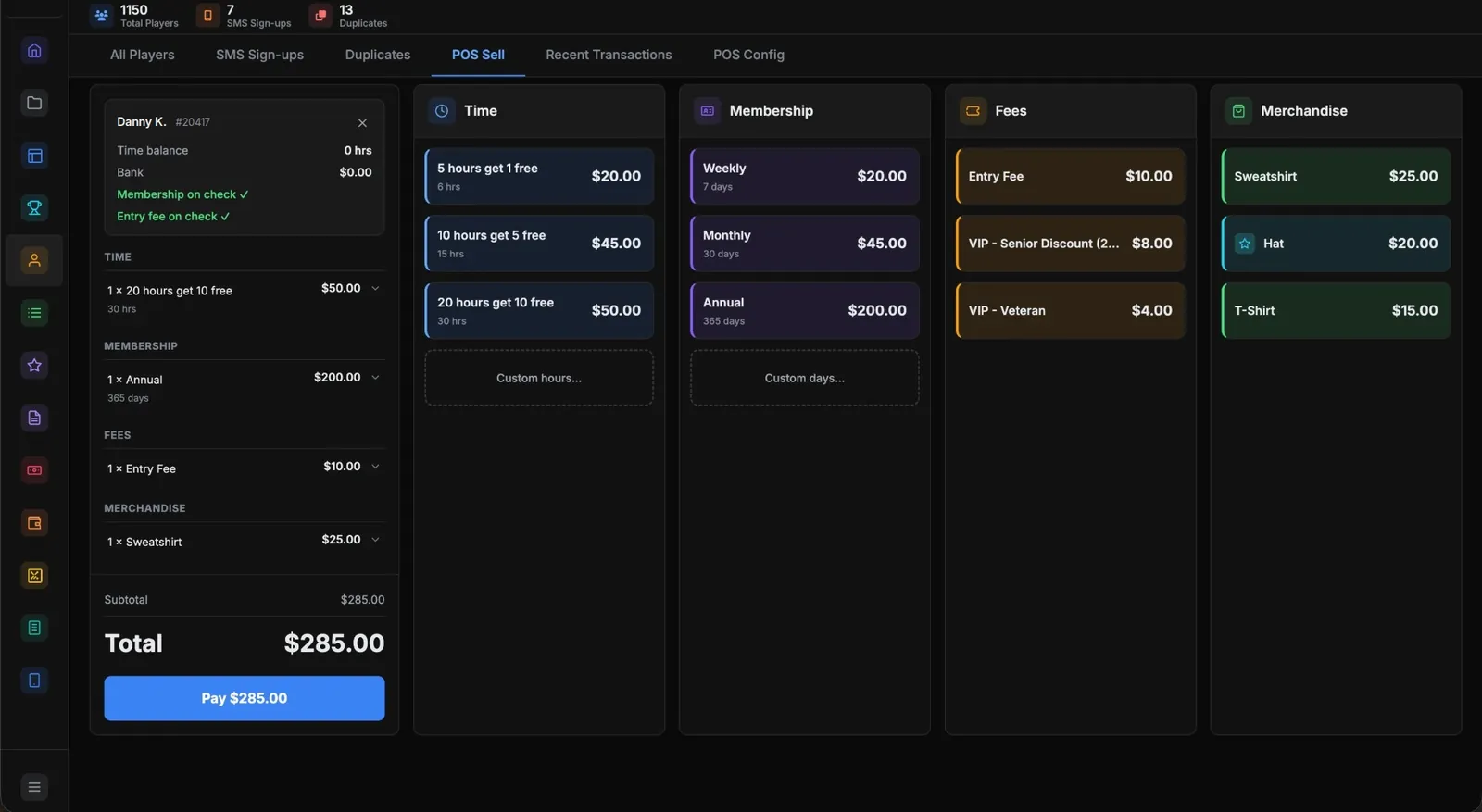
AT THE WINDOW · MEMBERSHIP & TIME SALES
Time, memberships and merch on one ticket.
Hour packages, memberships, entry fees and merchandise ring up on one ticket, against the player’s account, with their time balance right there.
-
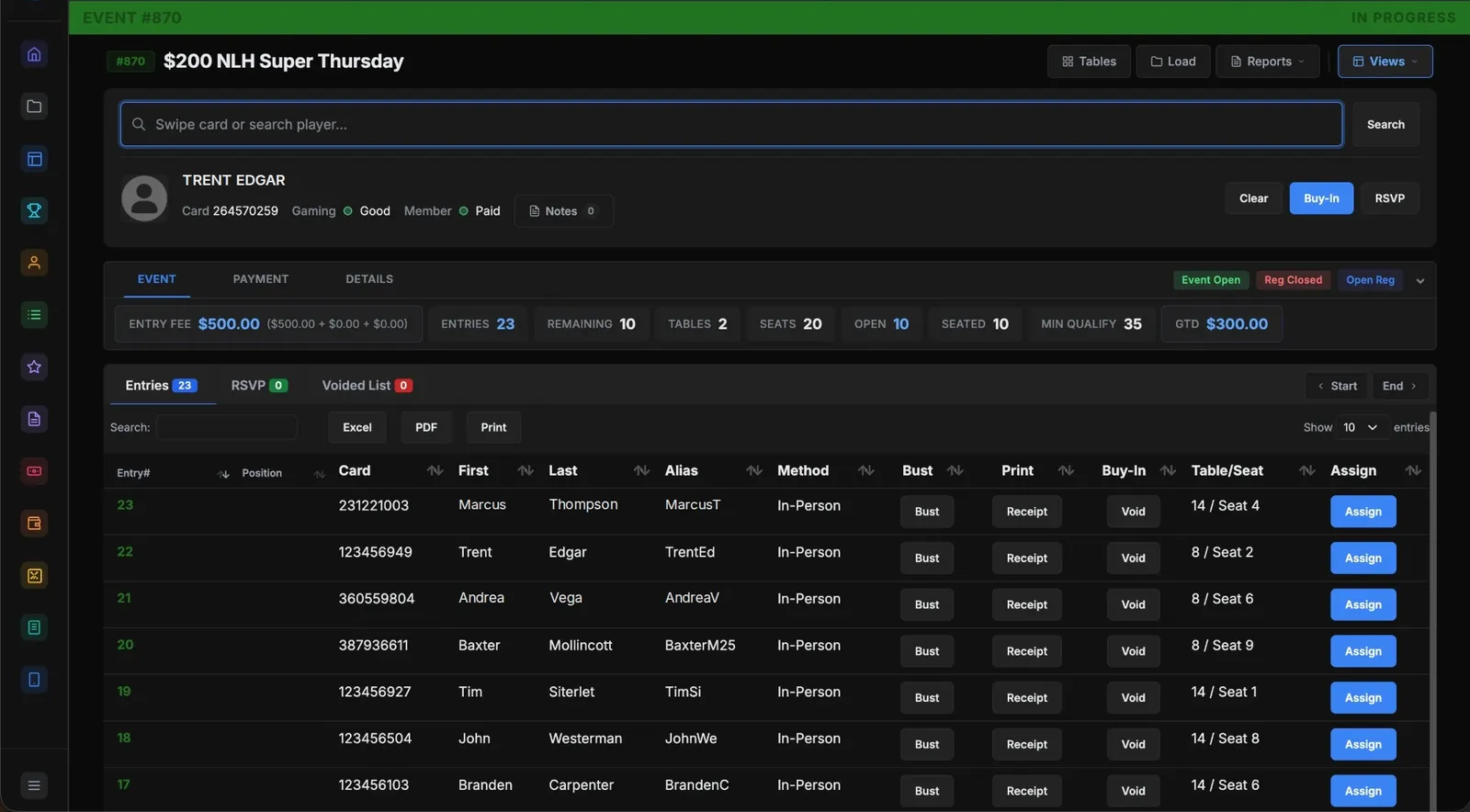
TOURNAMENT CHECK-IN · TOURNAMENT MANAGEMENT
Buy-in, seat drawn, receipt printed.
Level and payout structures are templates, built once. On the day, registration is a search, a tap and a printed receipt, with the seat drawn.
-
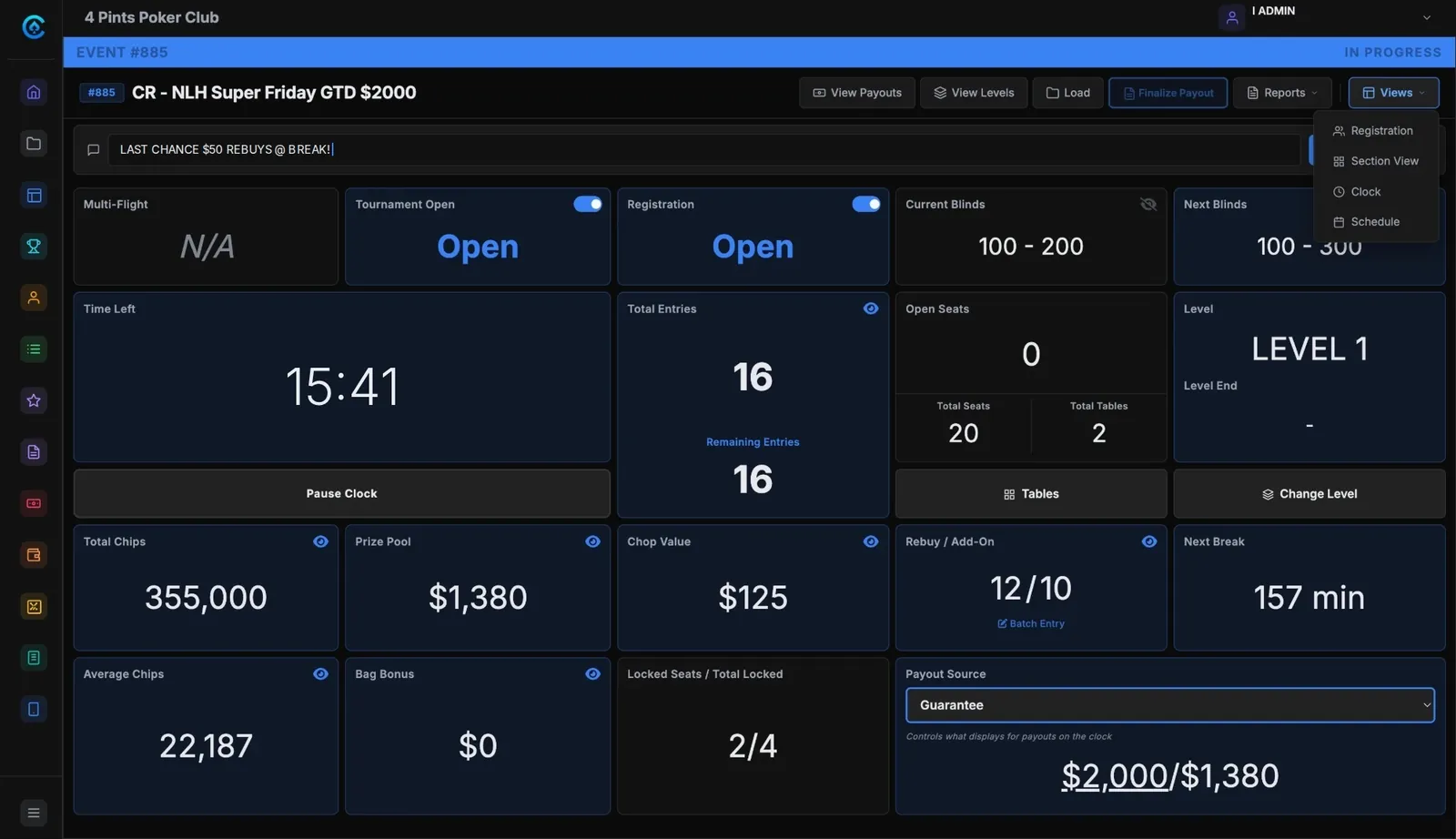
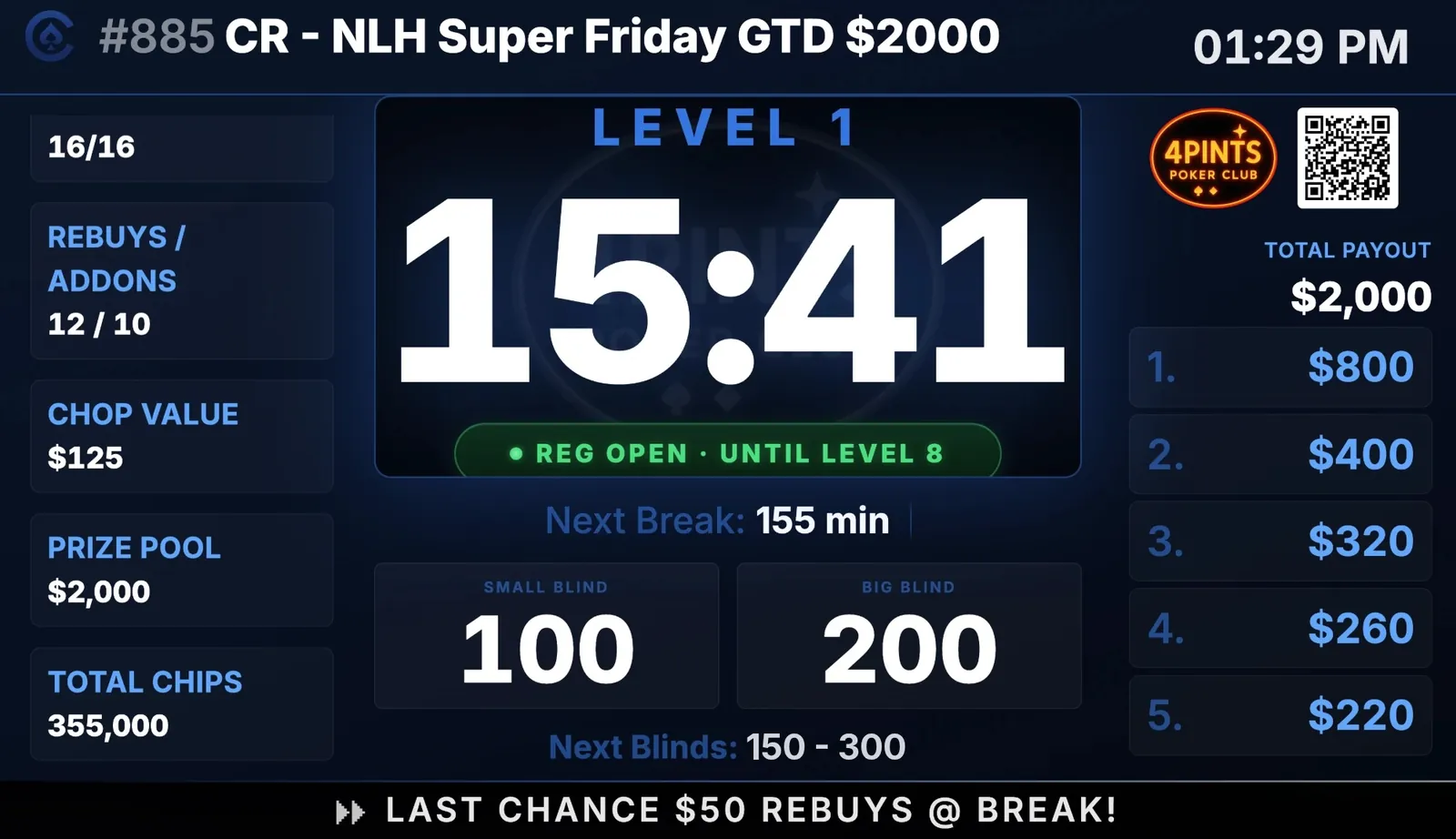
SHUFFLE UP · DISPLAYS & BOARDS
The director runs the clock. Every TV follows.
Registration and the clock run from one screen. The clock on the TV shows the level, the break and the payouts, updating as players bust.
-
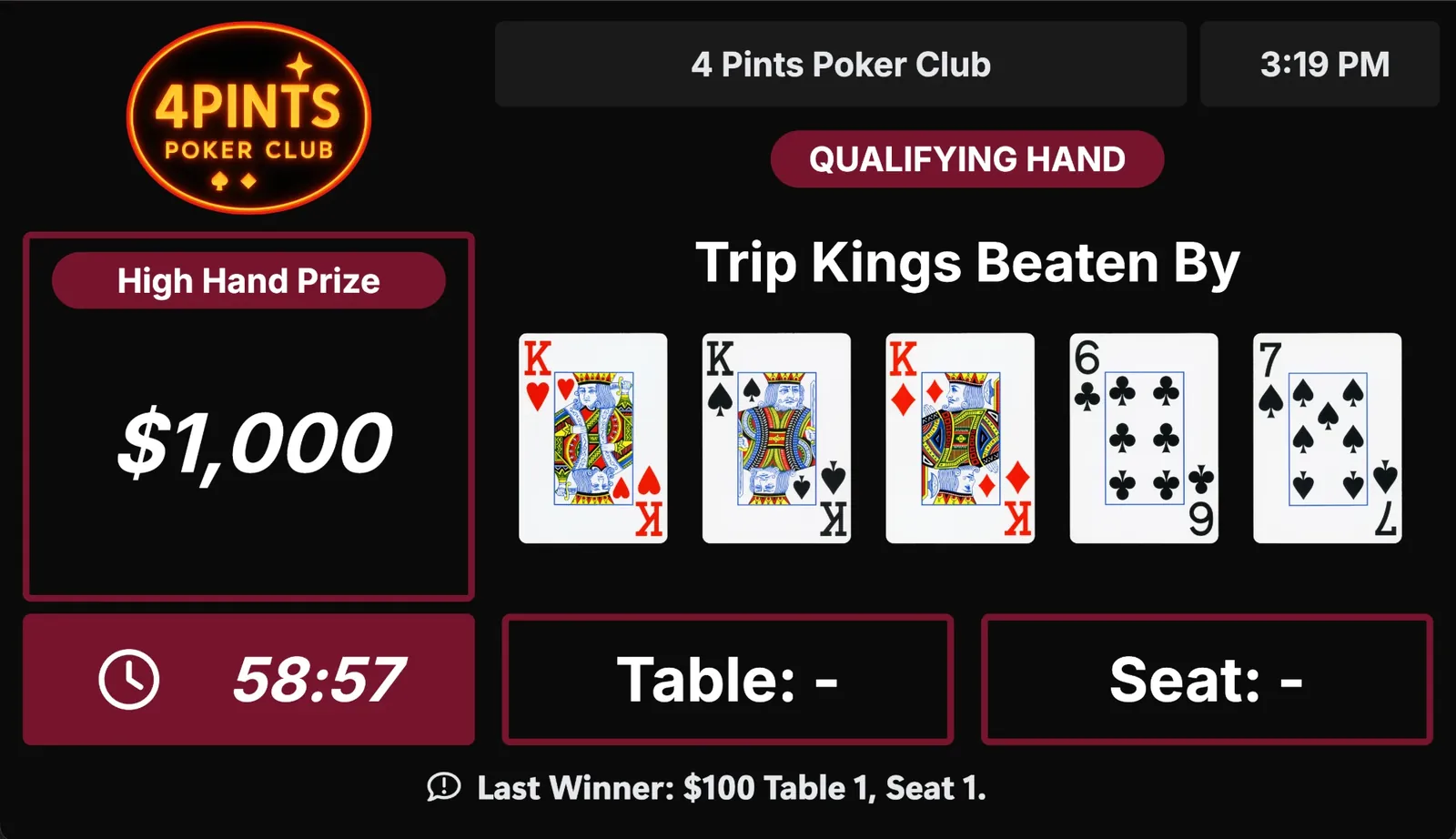
PRIME TIME · PROMOTIONS & JACKPOTS
High hands and jackpots, tracked as they happen.
Set a promotion once: a progressive jackpot by game and limit, a high-hand session, or an hours reward. The display shows the hand to beat, the prize and the time left.
-
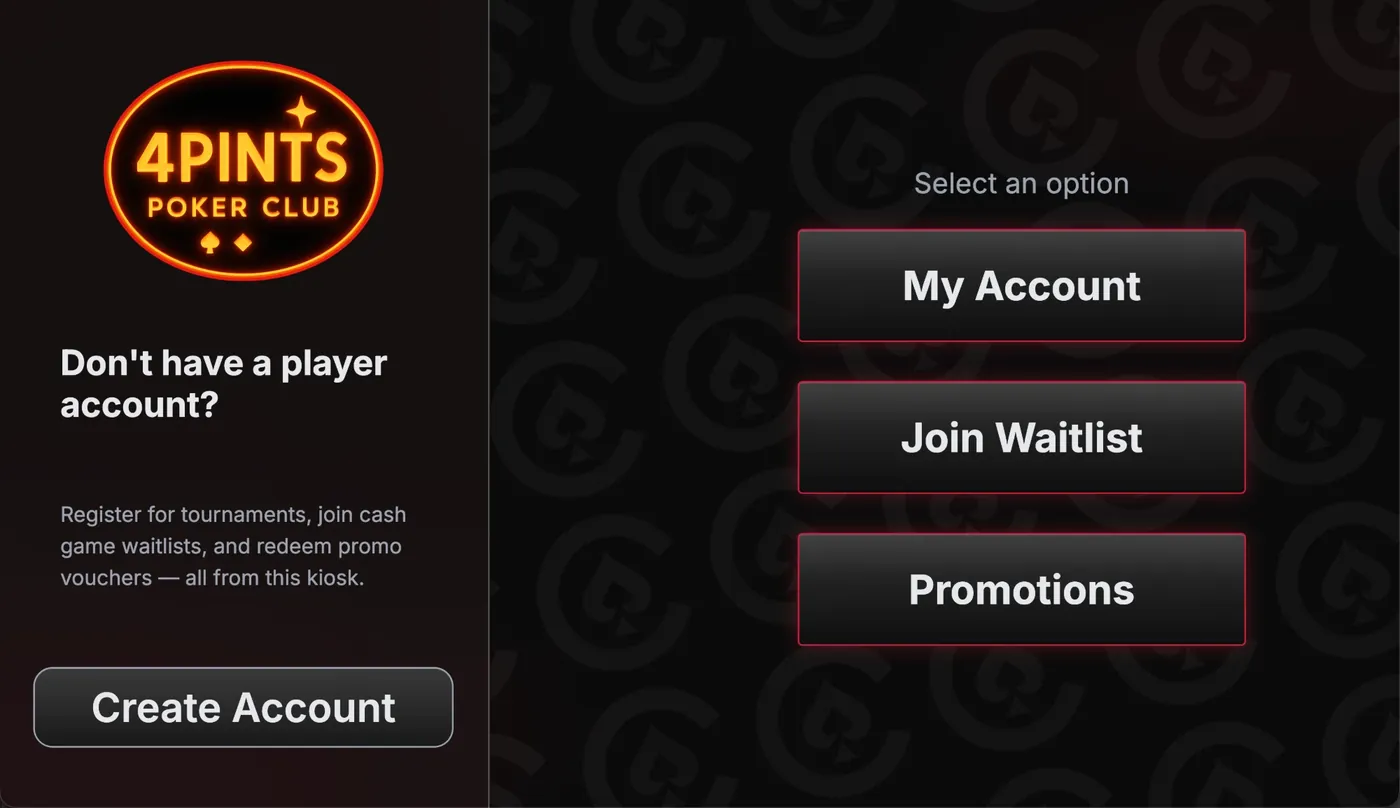
IN THE LOBBY · THE KIOSK
Players help themselves.
A touchscreen in the lobby with a receipt printer. Players create an account, join the waitlist, check their hours and redeem promotions. The voucher prints right there.
-
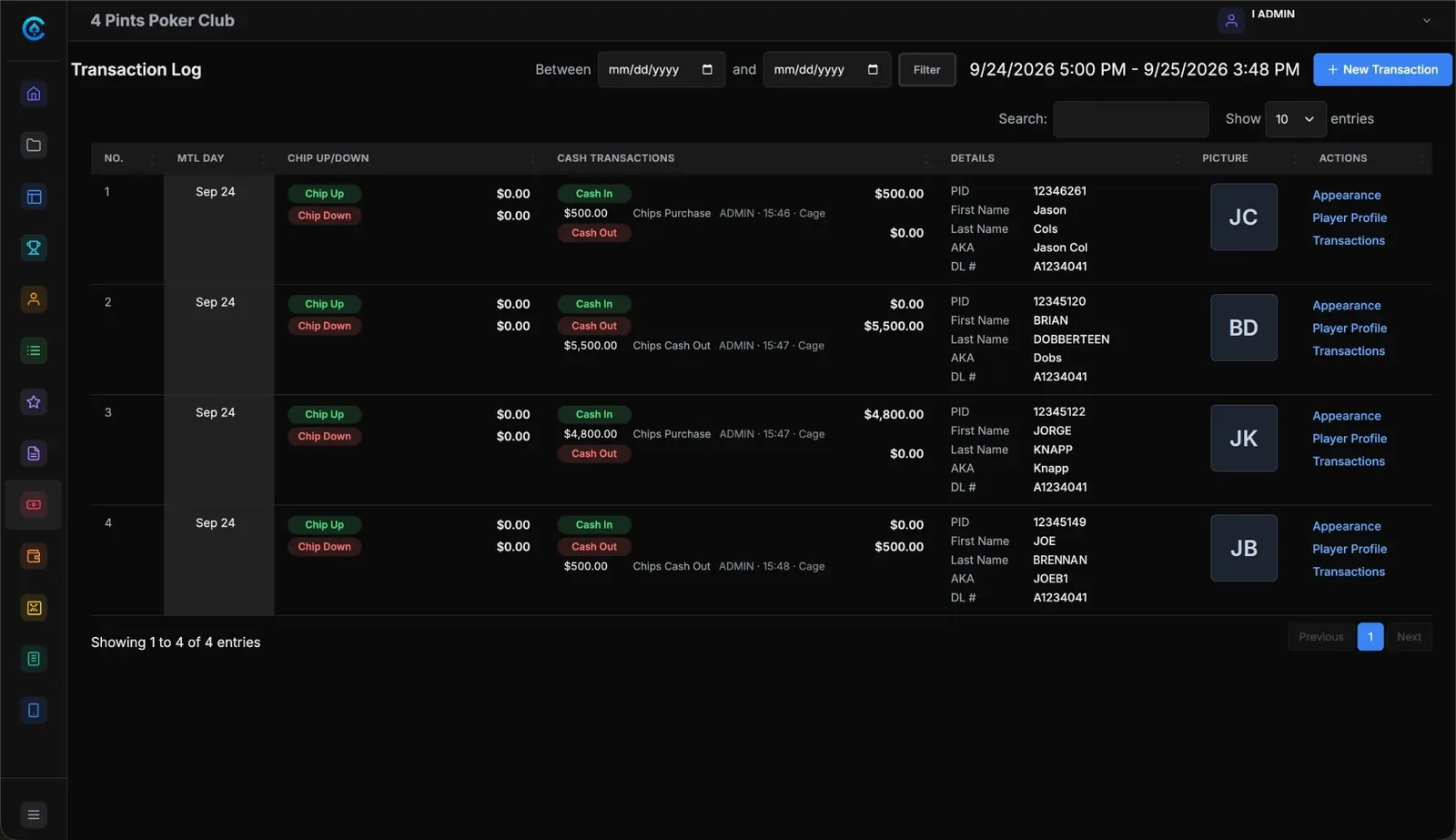
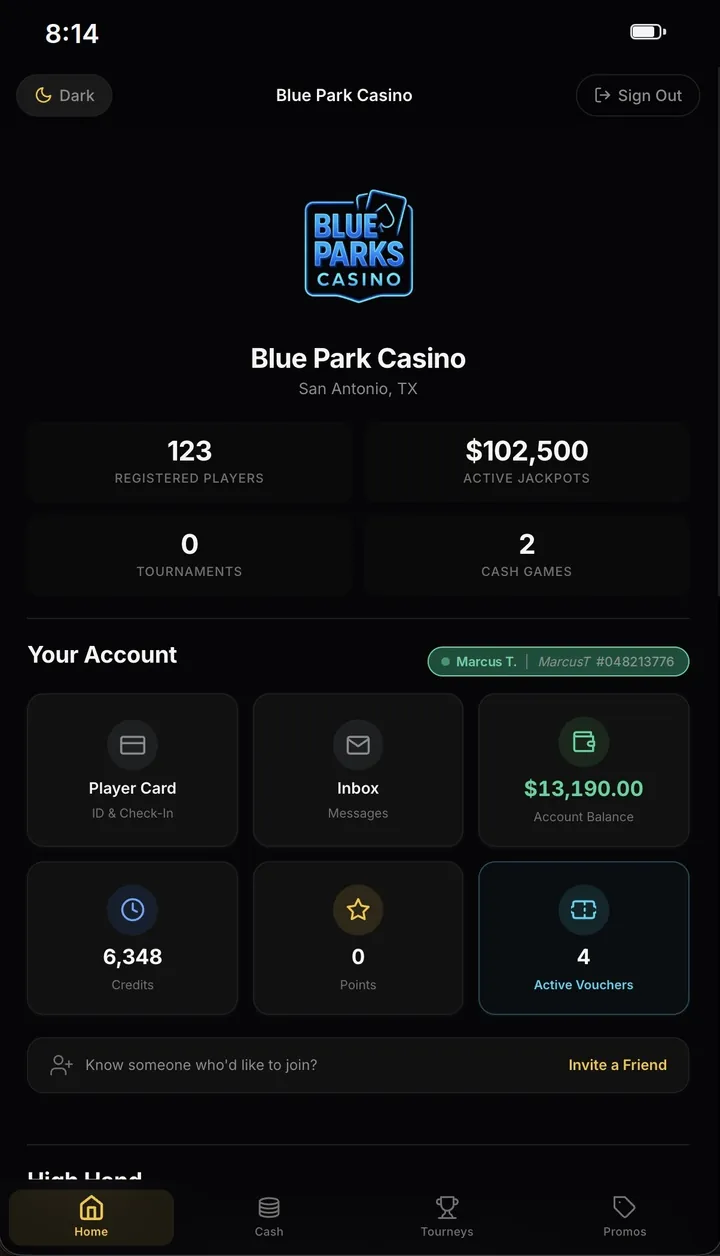
CASHING OUT · PLAYER CAGE
Every chip in and out, on one record.
The cage logs cash and chips in and out, plus deposits and withdrawals to each player’s bank. Players see their balance in the app.
-
Professional plan
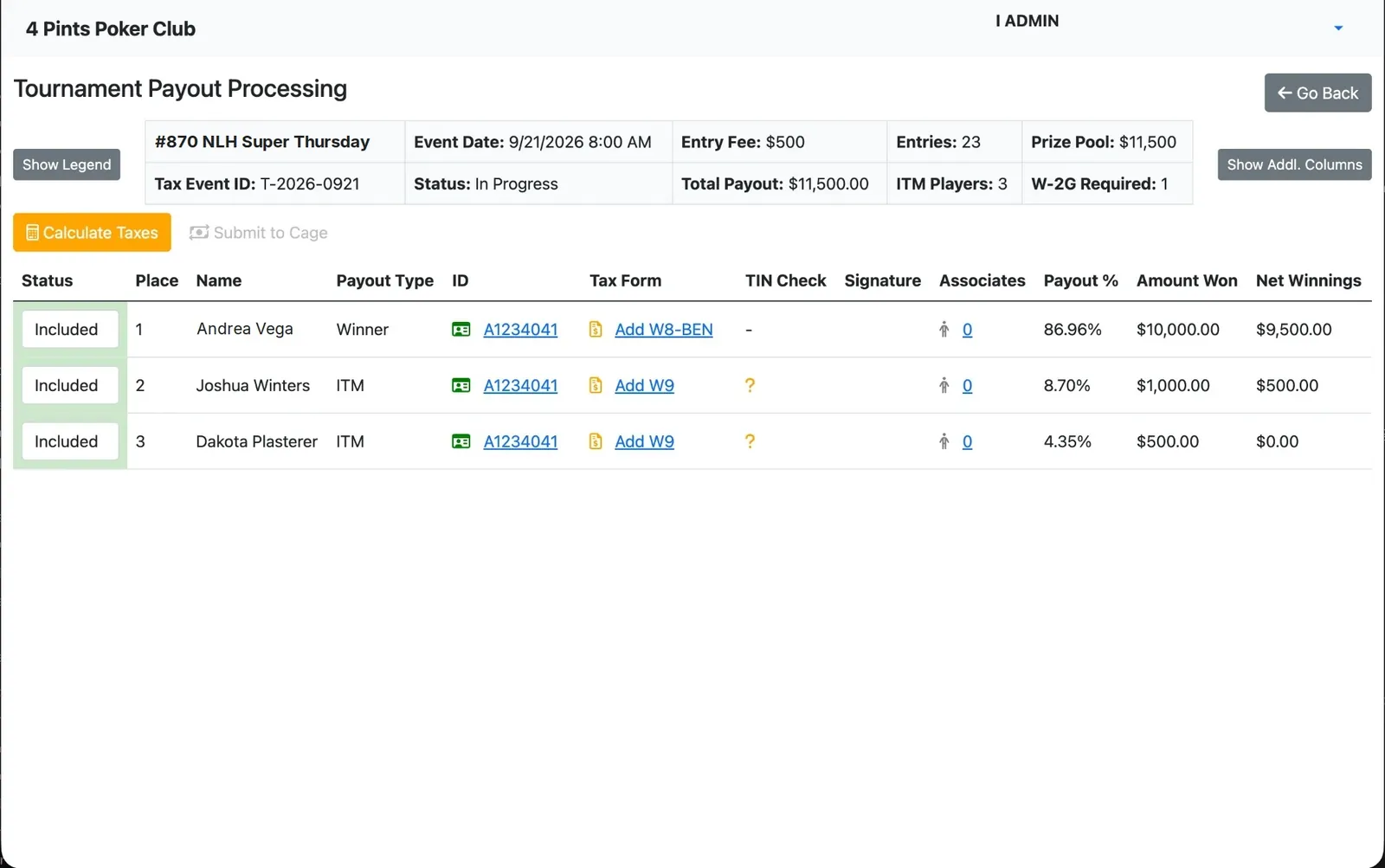
THE FINAL TABLE · PAYOUTS & TAX DOCUMENTATION
Payouts, with the paperwork on file.
The payout screen lays out each finisher’s amount, with the W-2Gs required. Collect the ID, the W-9 or W-8BEN and the signature, verify the TIN, then submit it to the cage.
-
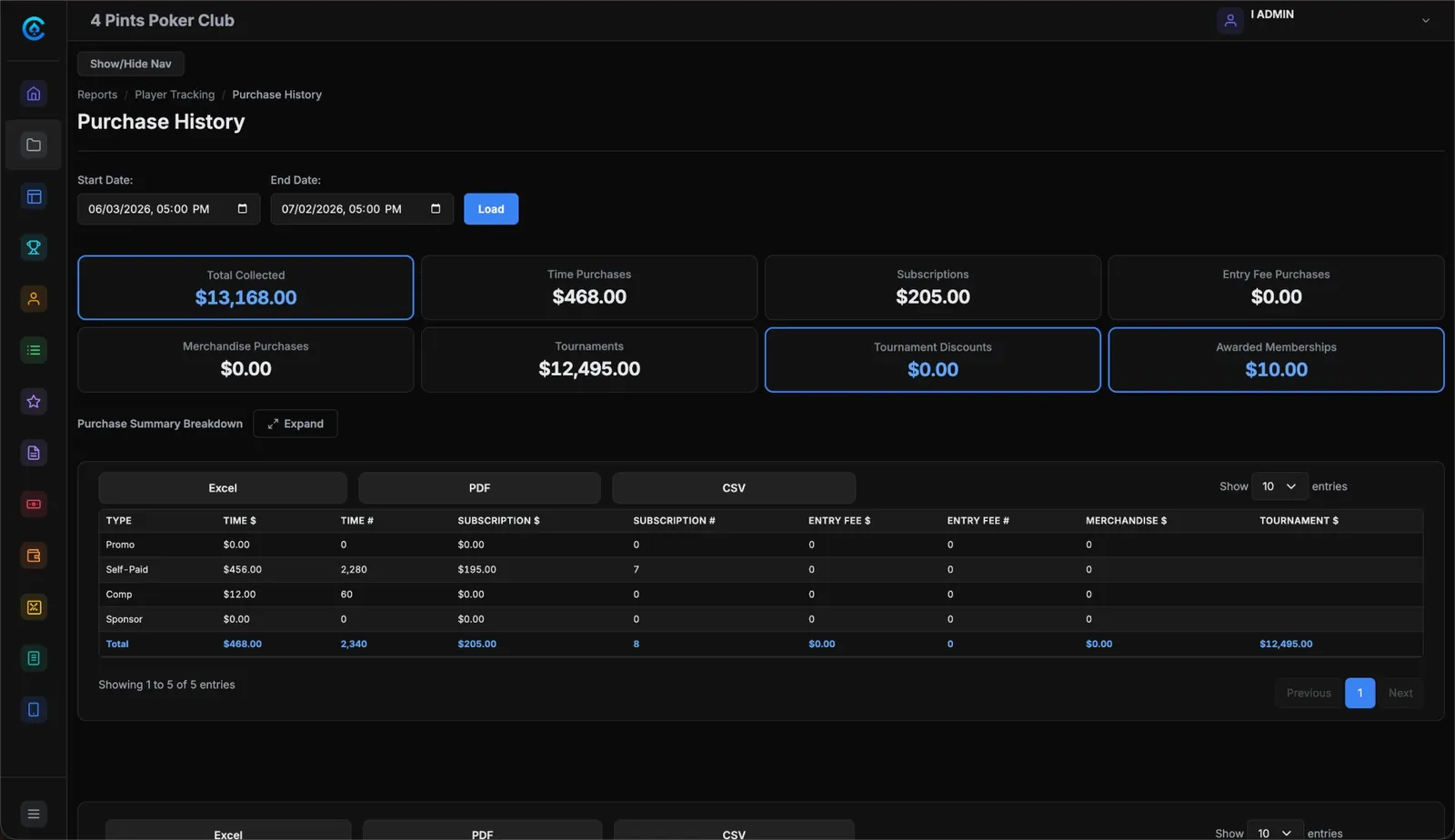
AFTER CLOSE · REPORTING & ANALYTICS
The night, the shift and the year.
Every module writes to one record, and the reports read from it. Here, purchase history: time, subscriptions, entry fees and merch. Export to Excel, PDF or CSV, or schedule it.
EVERY PLAN
Ten modules come with every plan.
- 01
Floor Management
See every table at once.
- 02
Waitlist Management
Seat players without shouting names.
- 03
Tournament Management
Run events without spreadsheets.
- 04
Player Tracking
One player record from front desk to floor.
- 05
Promotions & Jackpots
Jackpots, high hands and bonus hours that track themselves.
- 06
Player App
Your club’s name and logo on their phone.
- 07
Player Cage
Every dollar recorded where it happens.
- 08
Displays & Boards
Boards, meters and clocks fed from the same live data.
- 09
Reporting & Analytics
Live dashboards, reconciliation and export.
- 10
Membership & Time Sales
Memberships, time sales and club fees on one ticket.
Professional adds Payouts & Tax Documentation (W-2G, W-9, W-8BEN) and AccessPoint ID Scanning. Unlimited users and unlimited training on every plan. See pricing
See it on your room’s terms.
A 30-minute call on your schedule. Bring your questions and your floor plan, and we walk through it on a real room setup.