
TOURNAMENTS
Poker tournament software from the first entry to the payout.
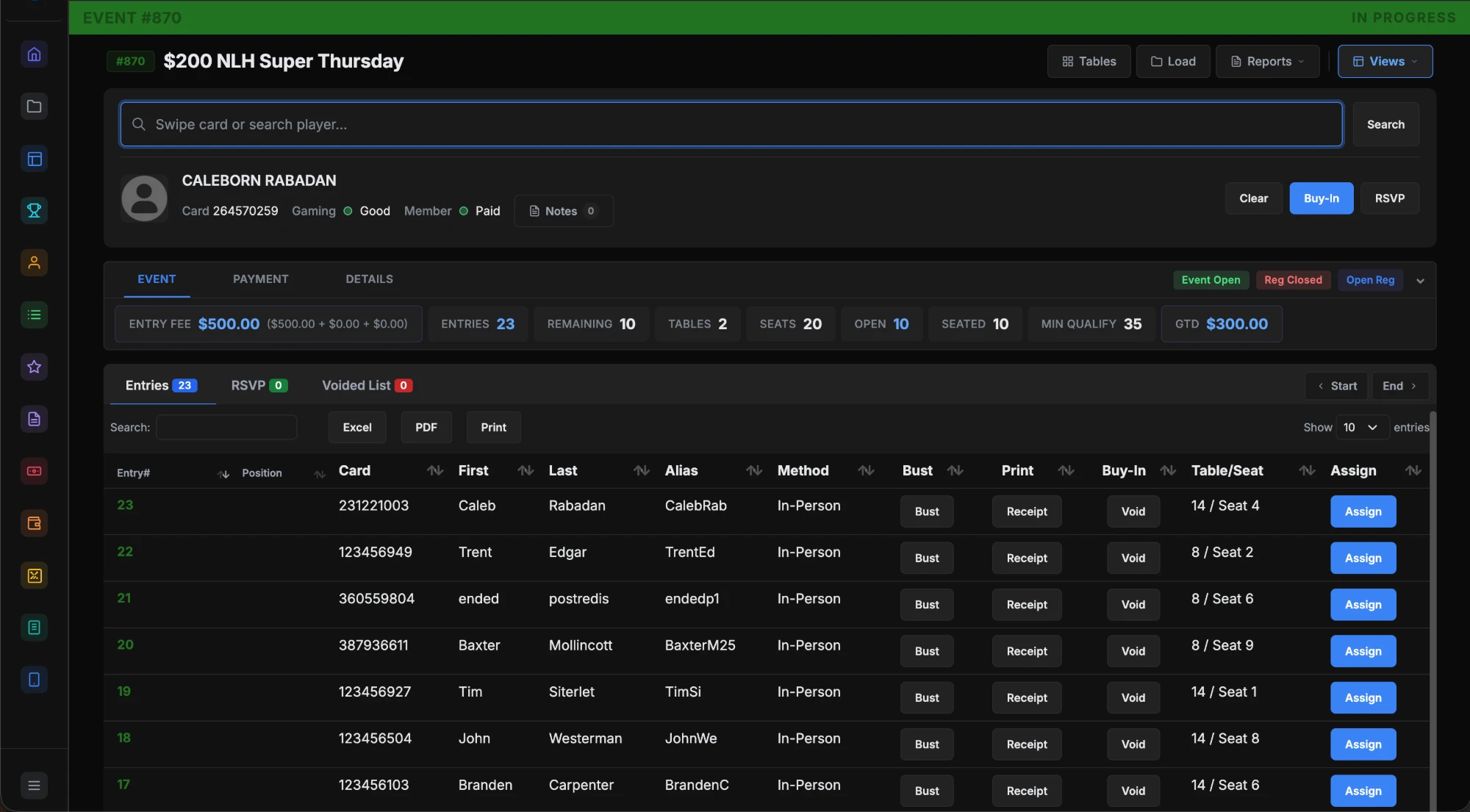
Build the event once from saved blind and payout templates. Register players at the desk with a random seat and a receipt. The clock runs on every TV, and payout slips close it out.
The problem.
Many rooms run tournaments across a clock app, a spreadsheet and paper. Blinds, entries, chip counts and payouts all live in different places, and the night gets hard to reconcile.
How it works.
- 1
Build the templates once.
Level structures hold blinds, antes, level times and breaks. Payout structures split the prize pool by entry count. Both are reused for every event.
- 2
Create the event.
Set the buy-in, fees, guarantee, tables, and the re-buy and add-on options. For a weekly game, clone last week's event and change the date.
- 3
Register and seat players.
Search by name, card ID or card swipe and take the buy-in. The player gets a random table and seat and a receipt. When tables fill, players go to the alternate list.
- 4
Run the clock and pay out.
Start the clock from the controller and it runs on every display. Bust players from the section view. Pay each place from the payout slips, as a voucher or a monetary payout.
What you get.
A clock on every TV
Current and next blinds, the level timer, breaks, the prize pool and player counts. The clock turns red when paused and sounds a countdown before each level ends.
Section view
Every table in a grid with its player count. Break a table or run a redraw, and players get new seats on printed receipts, and by text if staff send it.
Multi-flight events
Link satellites and Day 1 flights to a main event. Players who survive a flight qualify for Day 2, and their chip counts carry over.
Tournament reports
Registration, results, chip counts, funds received and payout slips. Funds received reconciles buy-ins, fees and tokes at the end of the night.
Included in every plan.
What’s different.
- Players can register from the room's app with Player Bank funds. Those funds are cash, deposited in person at the cage.
- The section view and the clock share a color, so staff always know which event they are managing.
- Deals are handled in the payout slips. Edit any paid place, and the clock can show the custom amounts.
QUESTIONS
About Tournament Management.
How are seats assigned?
The system assigns a random table and seat at buy-in and prints a receipt. A specific seat request can be handled with a quick seat change.
What happens when every seat is full?
Staff can open more tables or register the player as an alternate. Alternates get a number in order and are seated as seats open.
Can players register from their phone?
Yes, when the room turns it on for an event. Verified players buy in with Player Bank funds deposited in person at the cage. Mobile entries start as alternates and get their seat by text.
Does it handle multi-flight events?
Yes. Create the main event first, then the Day 1 flights and any satellites. The room chooses one flight per player or combined chip counts.
How do deals and chops work?
Once registration closes, open the payout slips and edit any paid position. The clock can show the custom amounts.
Does a weekly event have to be built every week?
No. Clone last week's event, change the date and save. Every other setting carries over.
Want to see Tournament Management running?
Book a 30-minute demo and we walk through it on a real room setup.
Book a demo See the demoBack to the whole product. Related: Floor Management, Payouts & Tax Documentation, Displays & Boards.