
THE ROOM'S OWN APP
Your club's own app, on every player's phone, no download.
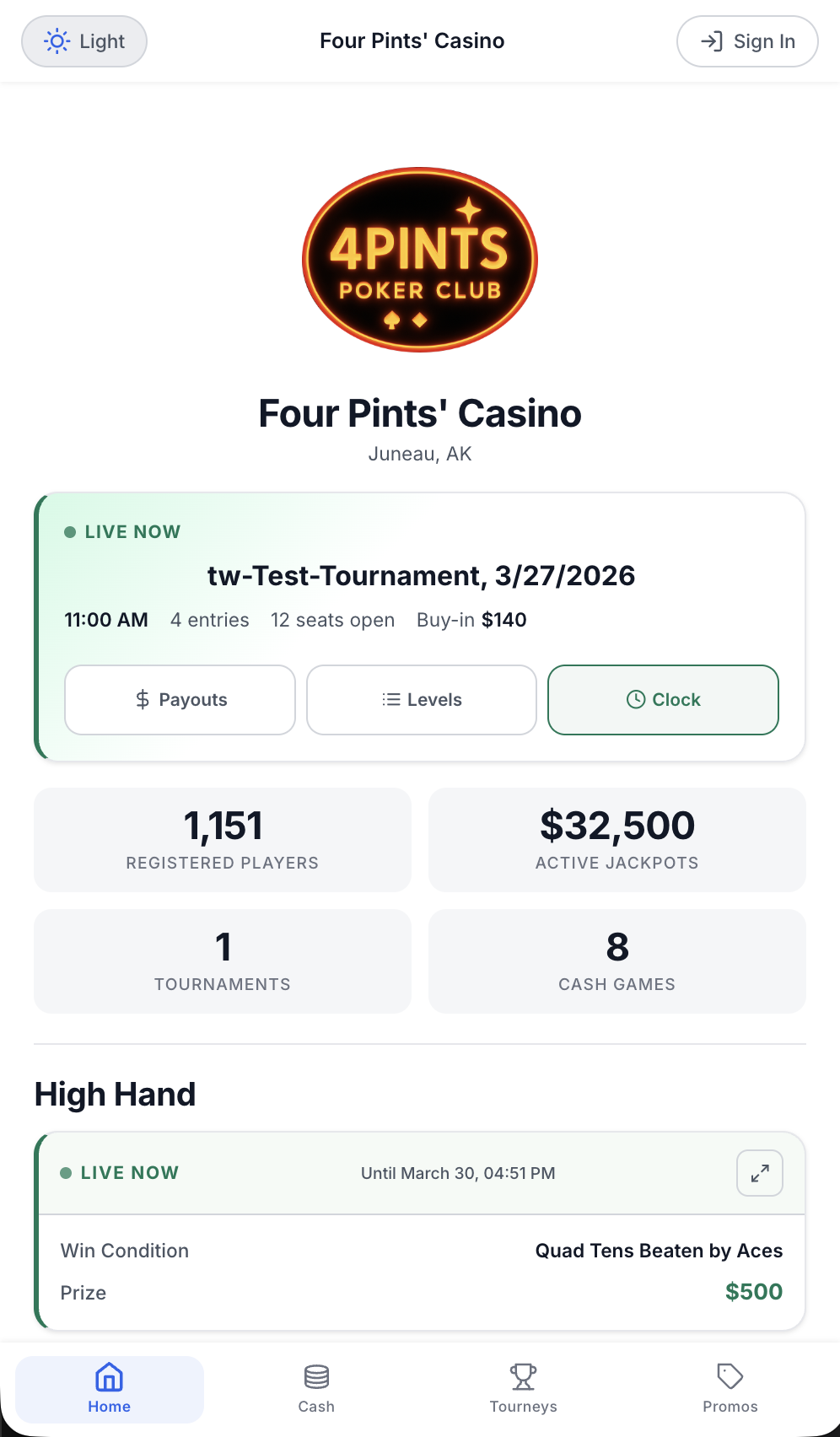
The poker club app runs under the room's own name, logo and colors on its own subdomain. Players open it in the phone's browser. They see the games, join waitlists and check promotions.
The problem.
Players want to know what is running before they drive in. When the only way onto the list is a phone call or the desk, the desk gets slammed.
How it works.
- 1
Brand it once.
Upload the room's logo, name and theme colors. The room gets its own subdomain, like yourroom.cardopz.com. Players see the room's brand, not CardOpz.
- 2
Put the QR code out.
A QR code on the Waitlist Board TV opens the app. The Guide Generator makes branded signup, waitlist and tournament guides with QR codes for print, email or SMS.
- 3
Players sign up from their phone.
They enter a phone number, get an SMS signup link and fill in the form. Their Player ID arrives by email. Staff verify their ID in person on the first visit.
- 4
Join, wait, get the text.
Players join a waitlist and watch their position update live. When a seat opens they get a text and have 10 minutes to check in.
What you get.
Waitlists from anywhere
Every game shows its limit, players seated and players waiting. Players pick a seat preference, join more than one list and leave a list from the app.
Tournament registration
Players browse events and buy in with funds they deposited at the cage into their Player Bank. Mobile registrants start as alternates and get their seat by SMS.
Promotions and inbox
Active promotions, live jackpot amounts and qualifying hands show in the app. Messages and comp vouchers from the room land in the player's inbox.
Passwordless login
After the first login, players can sign in with Face ID, Touch ID, fingerprint or device PIN. Email and Player ID always work as a fallback.
Included in every plan.
What’s different.
- No app store. It runs in the phone's browser, so there is no listing, no approval and no updates to manage.
- It carries the room's brand, not ours. Players see the club's logo, name and colors.
- It is the same waitlist the room runs. A player who joins from the app shows on the Waitlist Board TV with an app icon.
QUESTIONS
About Player App.
Do players need to download anything?
No. The app is a progressive web app. Players open the room's subdomain in their phone's browser from a QR code or link, and can save it to their home screen.
Whose name is on the app?
The room's. The logo, name and theme colors are the club's, and so is the subdomain players use.
What can a player see before they have an account?
Active games and waitlist counts, room information and hours, promotions and jackpot amounts, and the tournament schedule. Joining a waitlist or registering for an event needs a sign-in.
How do players pay for a tournament from the app?
With Player Bank funds. After their ID is verified in person, they deposit cash at the cage, then buy in from the app. Mobile registrants start as alternates.
What happens if a player misses the seat call?
They have 10 minutes to check in after the text. If they miss it, they move to the bottom of the list. They are not removed.
Want to see Player App running?
Book a 30-minute demo and we walk through it on a real room setup.
Book a demo See the demoBack to the whole product. Related: Waitlist Management, Tournament Management, Promotions & Jackpots.