
DEALER TABLET
The table runs from the dealer's seat.
The dealer tablet is browser-based and sits at each table. Dealers check players in and out, collect time and call the floor without leaving the seat. Every tap shows on the floor manager’s screen and the boards.
THE SCREEN
What the dealer sees.
One layout for the whole table, and a tap on any seat.
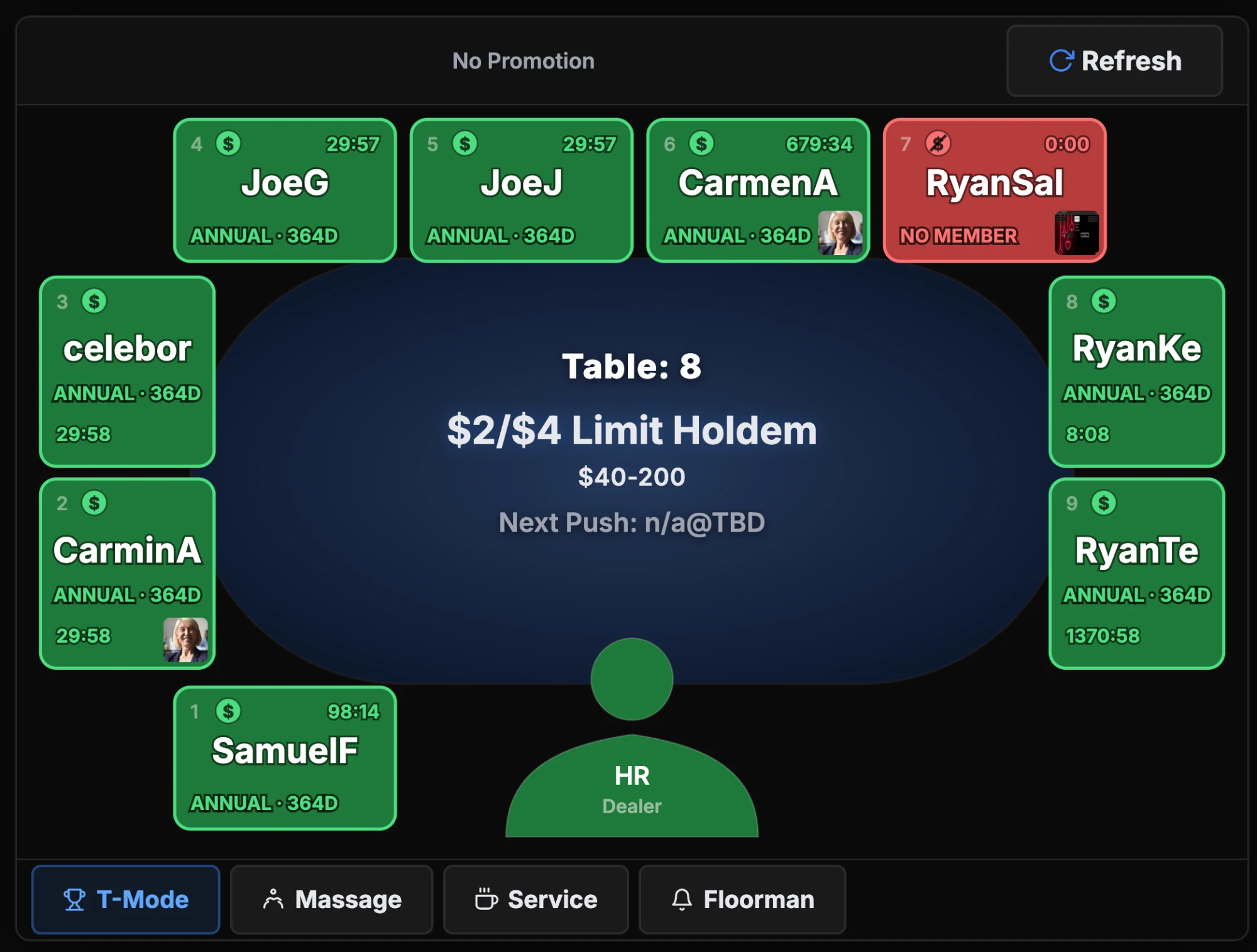
WHAT'S ON THE SCREEN
Everything the dealer needs, laid out in three parts.
Across the top: press and hold Next Hand to advance the hand count and trigger time charges, Charge Table to bill everyone seated at once, and the room's current promotion.
The seat layout fills the middle of the screen. Every seat shows the player’s name or alias, or Free, with a credit color. Tap any seat to open it.
Across the bottom: backline counts by credit level, the service buttons for calling the floor, and T-Mode for tournament tables.
AT THE TABLE
Everything the dealer does from the seat.
Seat, move, collect, call the floor, check in, without leaving the table.
SEATING A PLAYER
Check a player in without leaving the table.
Tap an empty seat and identify the player: card swipe, the QR code in the app, RFID, name search, or a guest alias. Confirm, and the seat shows their name everywhere on the floor.
Check-out works the same way. Pause and resume a player who steps away. For a longer break, chip pickup puts them at the top of the waitlist and starts a timer for their chips.
On tables with RFID readers, members are detected automatically.
MOVING A PLAYER
Move a player without breaking their session.
Tap the player's seat, select Transfer, then tap the seat they're moving to — at the same table or a different one. Their session, time credits and check-in time move with them.
When a table breaks and players have to relocate, transfer is the move, not a check-out and a fresh check-in. It keeps the session intact.
COLLECTING TIME
Selling time at the table, without the paper log.
Every seat shows a credit color: green is good, orange is getting low, red needs more time, dark red has expired. Charge Table bills everyone at once. Buy Time charges one player by the minute.
The Next Hand timer counts down to the next collection point.
Rooms that collect per hand or round mark it the same way, on the tablet. Free time for comps comes from the same Buy Time screen.
CALLING THE FLOOR
Get the floor's attention without a radio or a walk.
A tap on Floorman, Massage or Food/Service sends the request to the floor manager’s screen and the alert board, with the table and the time. Floor staff clear it when it’s handled. Response time is tracked.
DEALER CHECK-IN
The dealer checks in. The rotation catches up.
The dealer taps the dealer area at the top of the layout and picks their name from the shift list. The outgoing dealer is checked out in the same step.
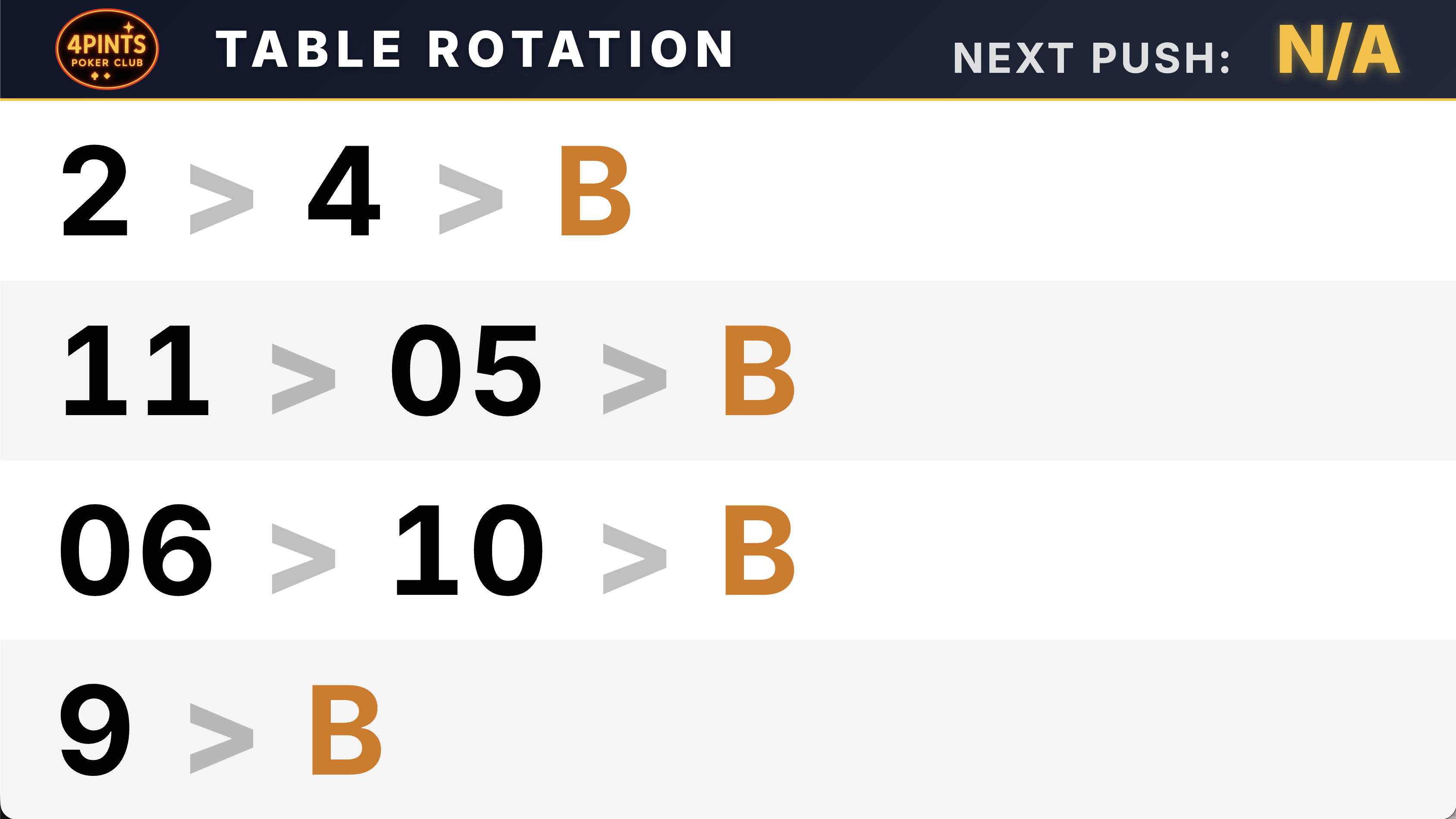
The floor map and the dealer rotation display both update right away, and every check-in is timestamped and feeds the dealer activity report.
THE ROOM AROUND IT
What it connects to.
The floor manager's screen, the boards, and the hardware already at the table.
WHAT THE FLOOR SEES
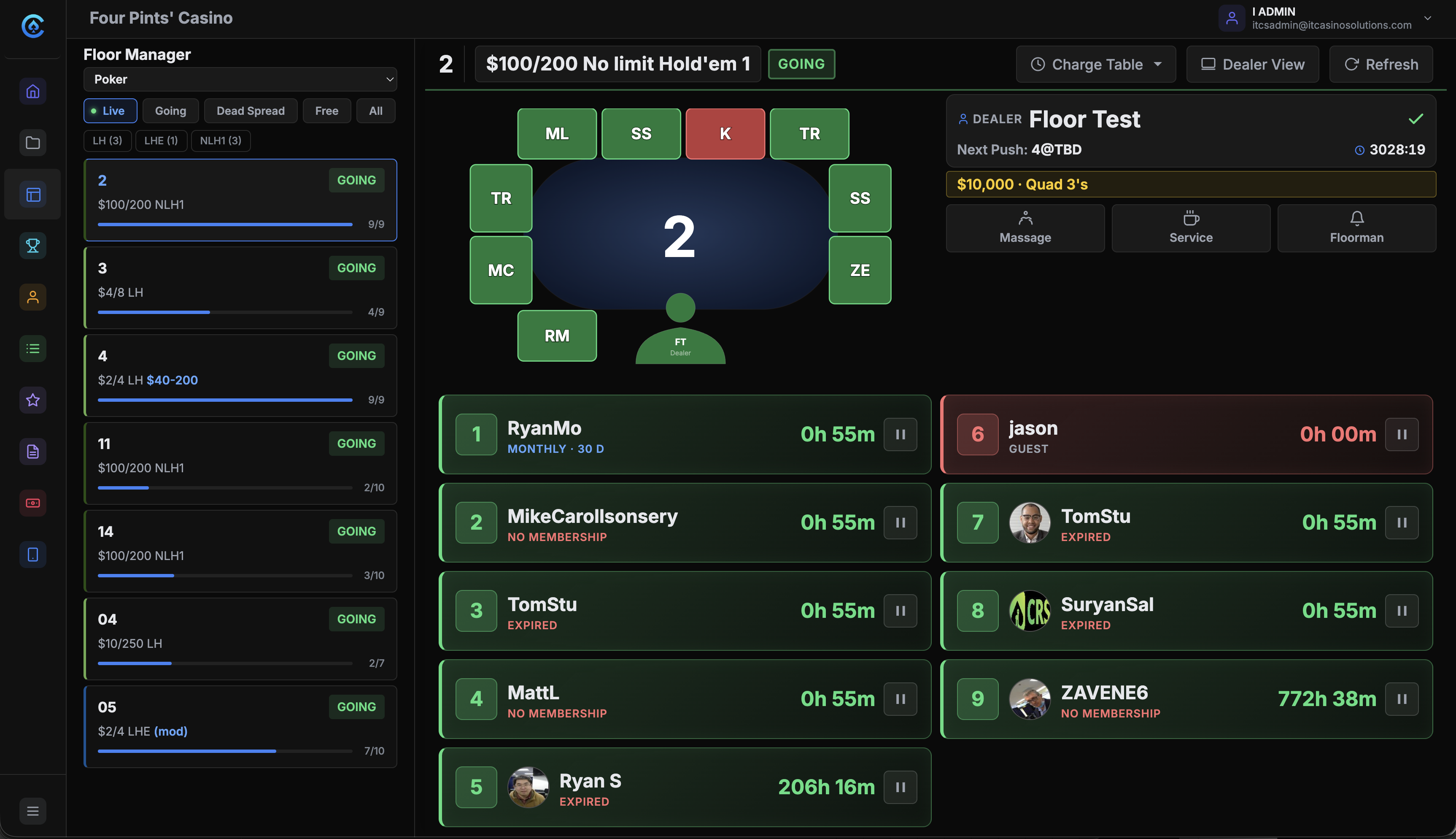
Every tablet action shows up on the floor manager's screen too.
Check-ins, time charges, service alerts and dealer rotations show on the floor manager’s screen within about a second. The floor manager can do every one of those actions from their own view.
HARDWARE
Works with the hardware you already have.
It runs in any modern browser, so there’s no app to install. An iPad in the dealer tray or on a swivel arm, or an Android or Windows tablet, with RFID tap where the table has readers. See the hardware.
QUESTIONS
Frequently asked questions
What devices are compatible with the dealer tablet software?
It runs in any modern web browser: iPad, Android or Windows tablet, or any device with a screen and a browser. There is no app to install, so the tablets you already own work.
Is the dealer tablet included in the CardOpz subscription?
Yes. The dealer tablet is in every plan at no extra cost. No per-device fees, no per-seat licenses, no add-ons. Put one on every table.
How do dealer tablets connect to the rest of CardOpz?
Tablets connect over your WiFi and sync with the cloud, the waitlist, the player app and the boards. A dealer updates a table and it shows everywhere. The floor seats a player and the dealer sees it.
See it in action
Book a 30-minute demo and see how CardOpz connects every table on your floor in real time.
Book a demo