
SEAT TIME AND MEMBERSHIPS
Seat time charged, bought and logged at the table.
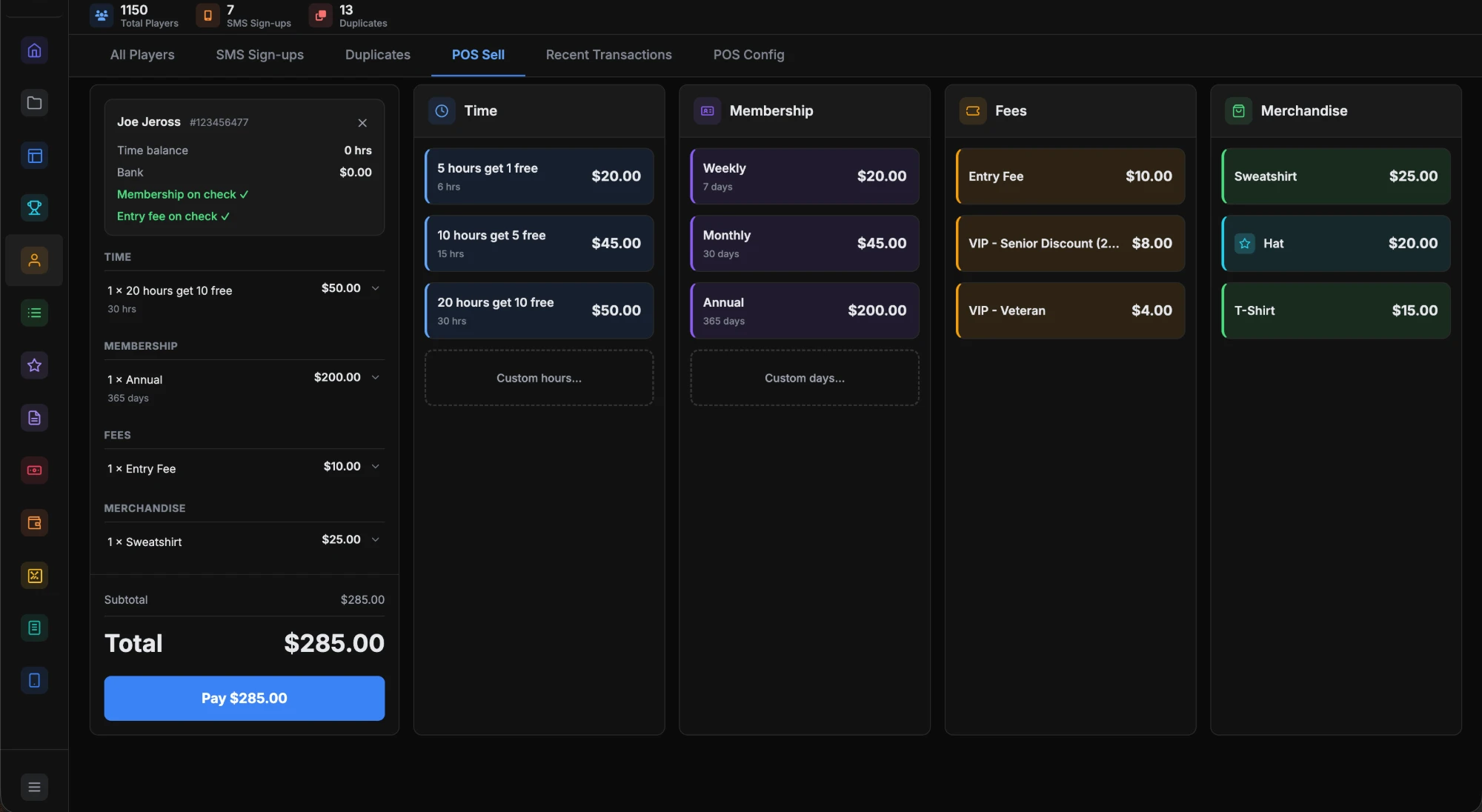
For seat fee poker club management, each game and limit can carry its own time collection profile. Dealers charge the table or sell time at the seat. Memberships and play credit land in purchase history.
The problem.
Seat time on paper depends on the dealer's memory. Players run past their time, nobody notices until the floor walks over, and nobody can say later who paid for what.
How it works.
- 1
Set the rates.
In Floor Settings, build named time collection profiles with an amount for 1 to 10 seated players. Assign a profile to each game and limit.
- 2
Collect by clock or by hand.
Clock-based collection runs a timer for each seated player from check-in. Participation-based collection logs each hand or round the dealer marks on the tablet.
- 3
Charge the table.
Press and hold Next Hand to advance the hand and trigger charges. Or use Charge Table to charge every seated player at once.
- 4
Sell time at the seat.
Tap the seat, choose Buy Time and enter the minutes. The credit level updates at once. Pick Free to grant comp time without a charge.
What you get.
Credit levels
Every seat shows Good, Warning, Critical or Negative. The colors show on the dealer tablet and the floor view. Critical and Negative players go to the alert board.
Rates by player count
Each profile sets a collection amount and a player pool amount for each table size. A room can collect more per player when the table is short.
Purchase history
Membership purchases, play credit and tournament buy-ins are reported by player and date, with the amount, the payment method and the staff member who processed each one.
Member status on the profile
A player's details show their time and credit balance and their member status. Floor and cage staff see the same record.
Included in every plan.
What’s different.
- Every time charge and purchase is logged. Reporting works from the record, not a dealer's notes.
- Membership clubs can roll up daily subscriptions from the Purchase History report.
- Time changes push to every connected screen. When a player buys time, the tablet, the floor view and the alert board update together.
QUESTIONS
About Membership & Time Sales.
Can we collect by the hand instead of by the clock?
Yes. Participation-based collection logs each hand or round the dealer marks on the tablet. Clock-based collection runs a timer for each player from check-in.
Can the rate change with the number of players?
Yes. A time collection profile sets an amount for each count from 1 to 10 seated players. Each game and limit can use its own profile.
How does a player buy more time?
The dealer taps the seat, chooses Buy Time and enters the minutes. The credit level updates right away on every connected screen.
Can we give a player free time?
Yes. In the Buy Time window, choose Free. The player gets the time with no charge, for promotions or comps.
Where do membership sales show up?
In the Purchase History report. Memberships, play credit and tournament buy-ins are listed by player and date. Membership clubs use it for daily subscription rollups.
Want to see Membership & Time Sales running?
Book a 30-minute demo and we walk through it on a real room setup.
Book a demo See the demoBack to the whole product. Related: Floor Management, Player Tracking, Player Cage.