
REPORTS AND EXPORTS
Every module feeds one set of reports for the room.
Every action in CardOpz is logged. Reports pull tables, players, tournaments, the cage and promotions into one place. Filter by date, then export to Excel, PDF or CSV.
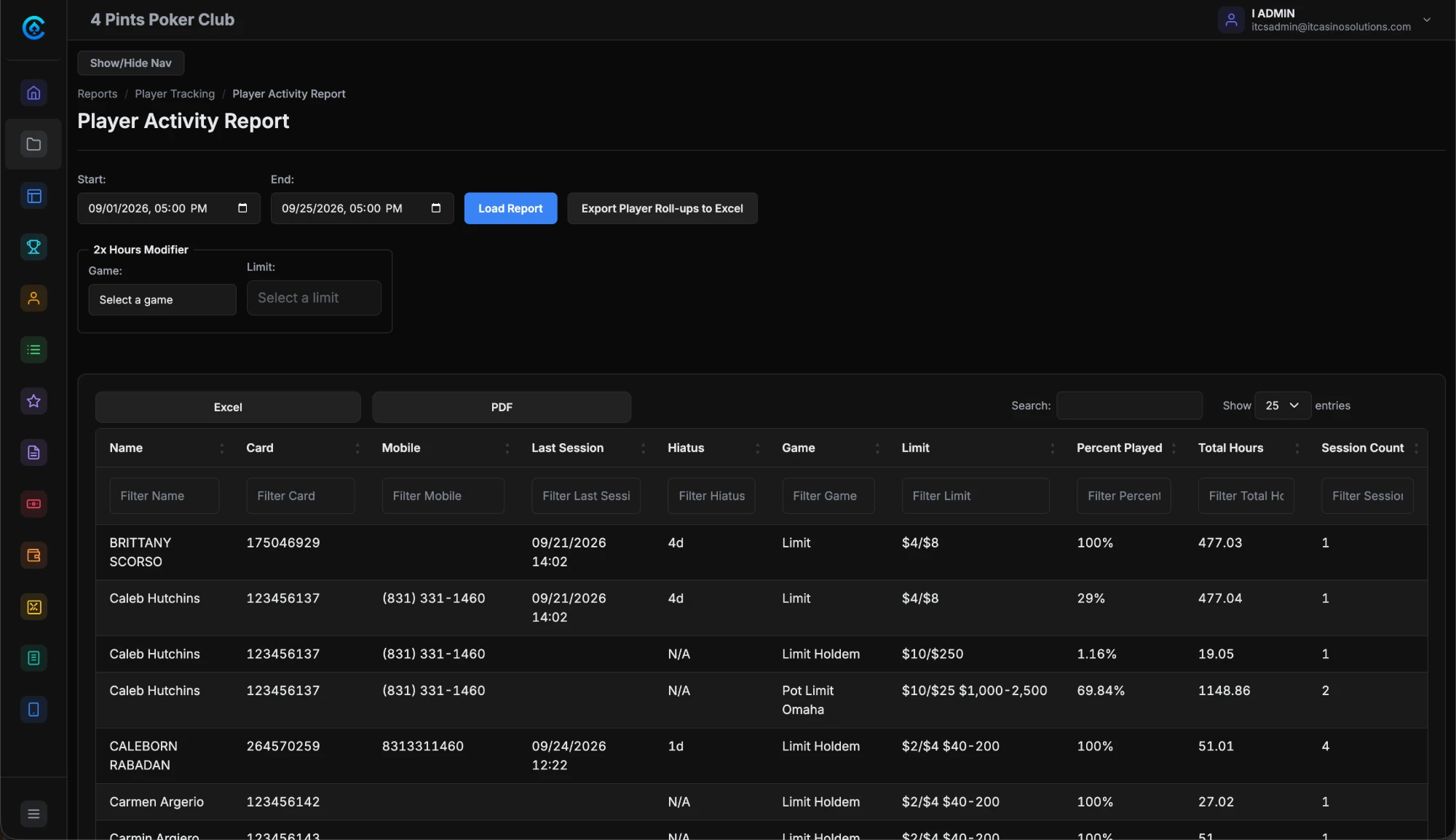
The problem.
Most rooms keep their numbers in pieces. Player logs sit in one place, cage records in another, tournament results in a spreadsheet. A simple report means stitching them together by hand.
How it works.
- 1
Run the night.
Check-ins, table sessions, time charges, cage transactions and tournament entries are logged as they happen. Every module feeds the same reports.
- 2
Pick a report.
Open Reports and choose a player, table, dealer, tournament, cage or promotion report.
- 3
Set the window.
Filter by date range, shift, section or game type. Then load the report.
- 4
Export it or schedule it.
Export to Excel, PDF or CSV. Every plan also gets custom reports and scheduled report delivery.
What you get.
Table and dealer activity
Table timelines show the games run, player counts and session lengths. Dealer timelines show table assignments, rotation times and shift coverage.
Player activity
Check-in history shows when each player sat down, for how long, at which table and in which game. Patron Daily Count tracks each player's first seat of the day and total play time.
Tournament results
Registration lists, results for every paid place, payout slips, chip counts and roll-ups across flights. The funds received report breaks down each event's buy-ins, fees and guarantee.
Cage and time collection
The cage log covers buy-ins, cash-outs, chip exchanges and adjustments. Cashier shift summaries close out each shift. Time charges and purchases at the table are logged too.
Included in every plan.
What’s different.
- Every module feeds the same reports. There is no second system to pull from.
- Custom reports, scheduled delivery and Excel, PDF and CSV export come with every plan.
- The dashboard shows live KPI cards with trend lines over 24 hours, 7 days, 30 days and longer.
QUESTIONS
About Reporting & Analytics.
What reports come with CardOpz?
Player, table, dealer, tournament, cage and promotion reports. They cover check-ins, table and dealer timelines, tournament results, cage transactions, promotion redemptions and high hand winners.
Can we export reports?
Yes. Every plan includes Excel, PDF and CSV export. Most reports export to formatted Excel workbooks with the room's logo, charts and a summary sheet.
Can reports arrive on a schedule?
Yes. Scheduled report delivery comes with every plan, along with custom reports.
Does time collection show up in reporting?
Yes. Time charges and purchases at the table are logged as they happen, so they sit in reporting with the rest of the night.
Do tournament reports cover multi-flight events?
Yes. The chip count report records each player's chips at the end of a flight. The roll-up report brings every flight together for the main event, with carryover amounts and seat assignments.
Want to see Reporting & Analytics running?
Book a 30-minute demo and we walk through it on a real room setup.
Book a demo See the demoBack to the whole product. Related: Player Tracking, Tournament Management, Player Cage.